Weiro
A blogging CMS for hosting via Netlify.
Weiro - Categories, Pages, and Upload Editing
Some more work on Weiro. Much of it is pretty mundane, mainly to get it to feature parity with other CMS's out there. Yes, I know the existence of those other CMS's make the entire project pointless. Doubly so when you consider that much of what I'm going to talk about was largely done by coding agents. It made me wonder whether it was worth writing this update at all. Well, it's drafted up already so I may as well finish it off. At least one thing will get finished.
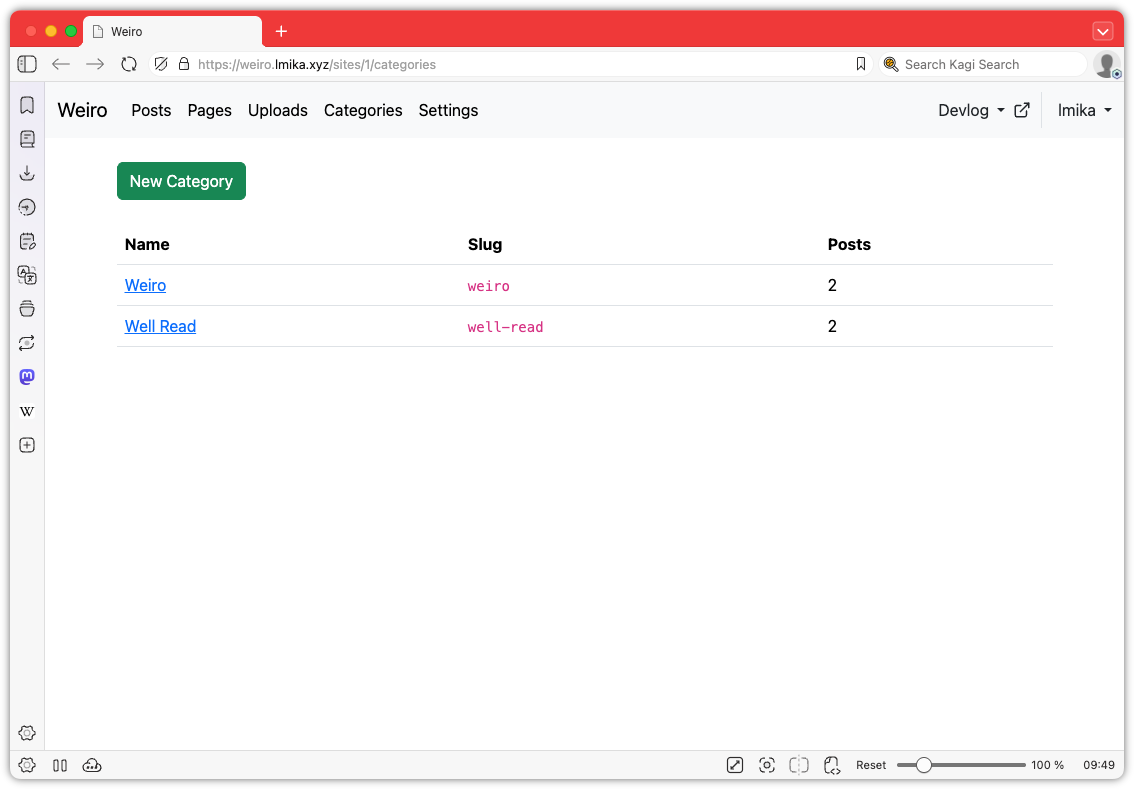
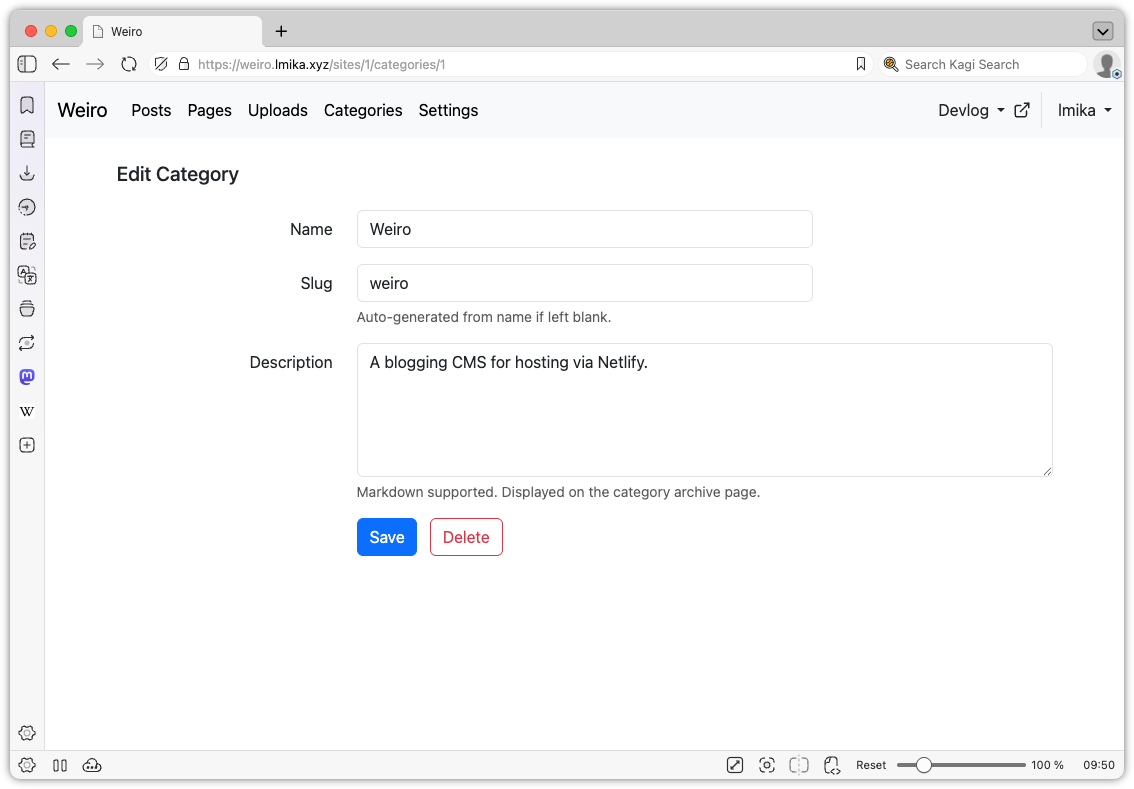
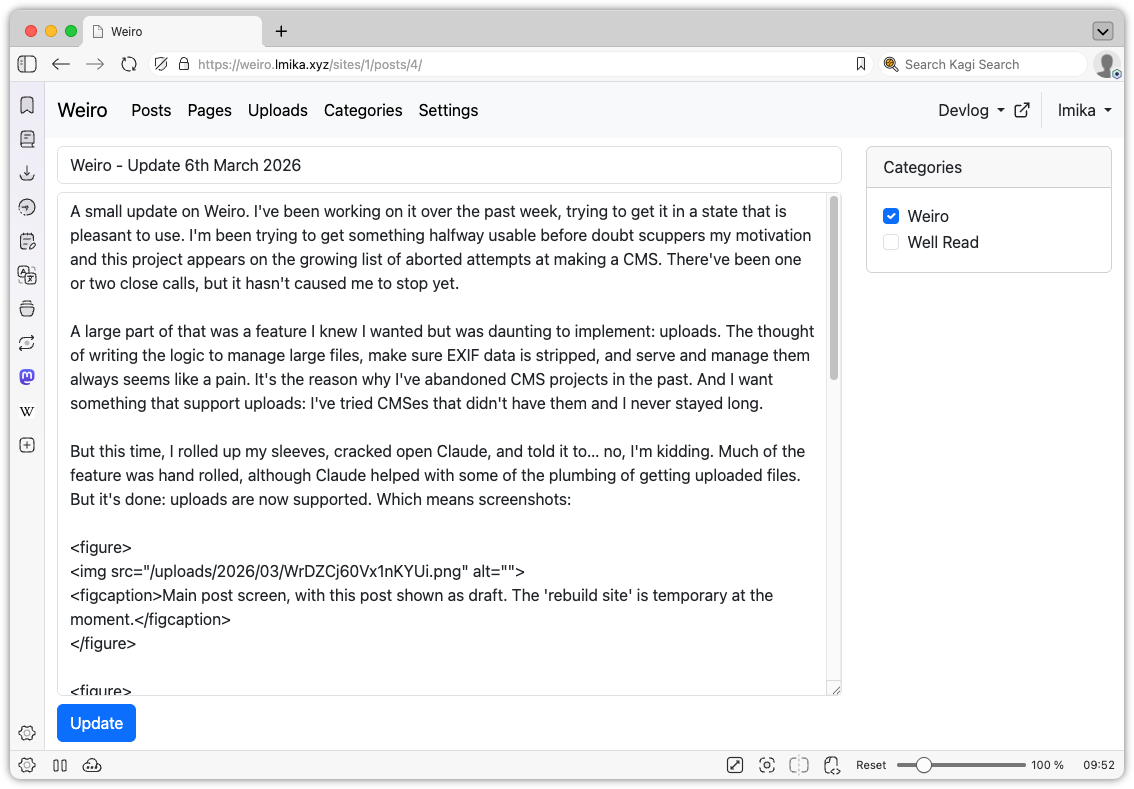
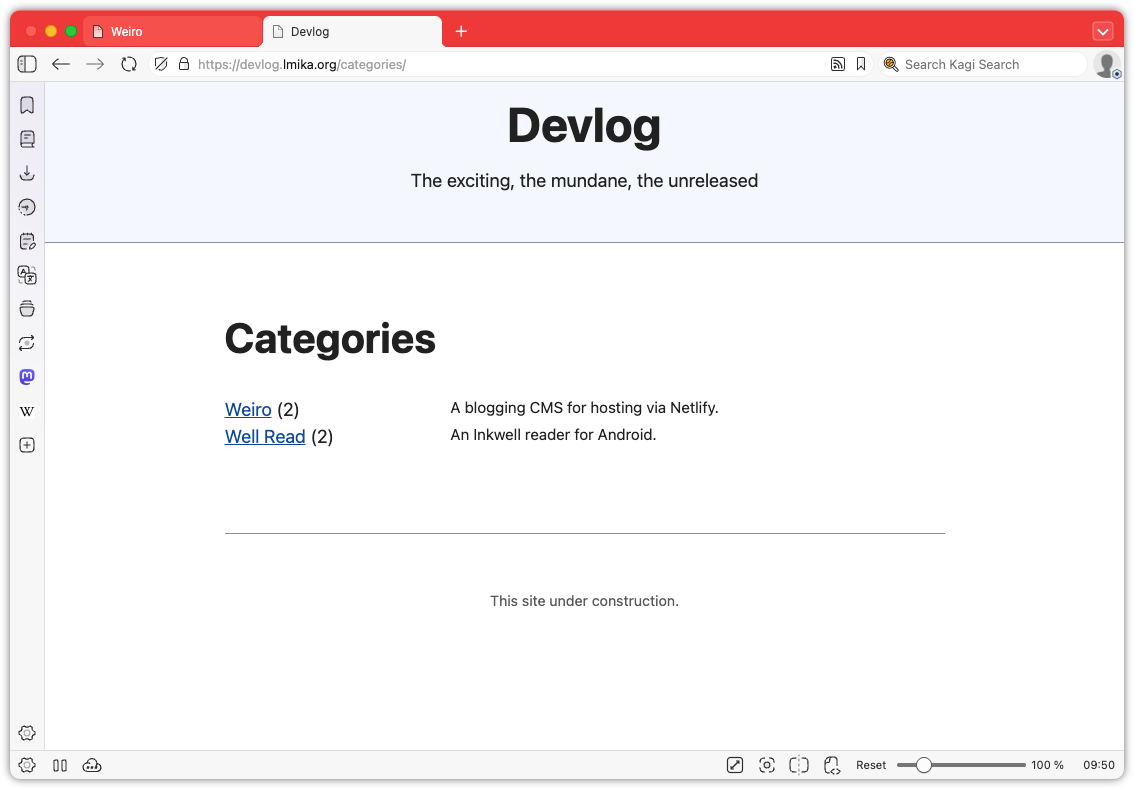
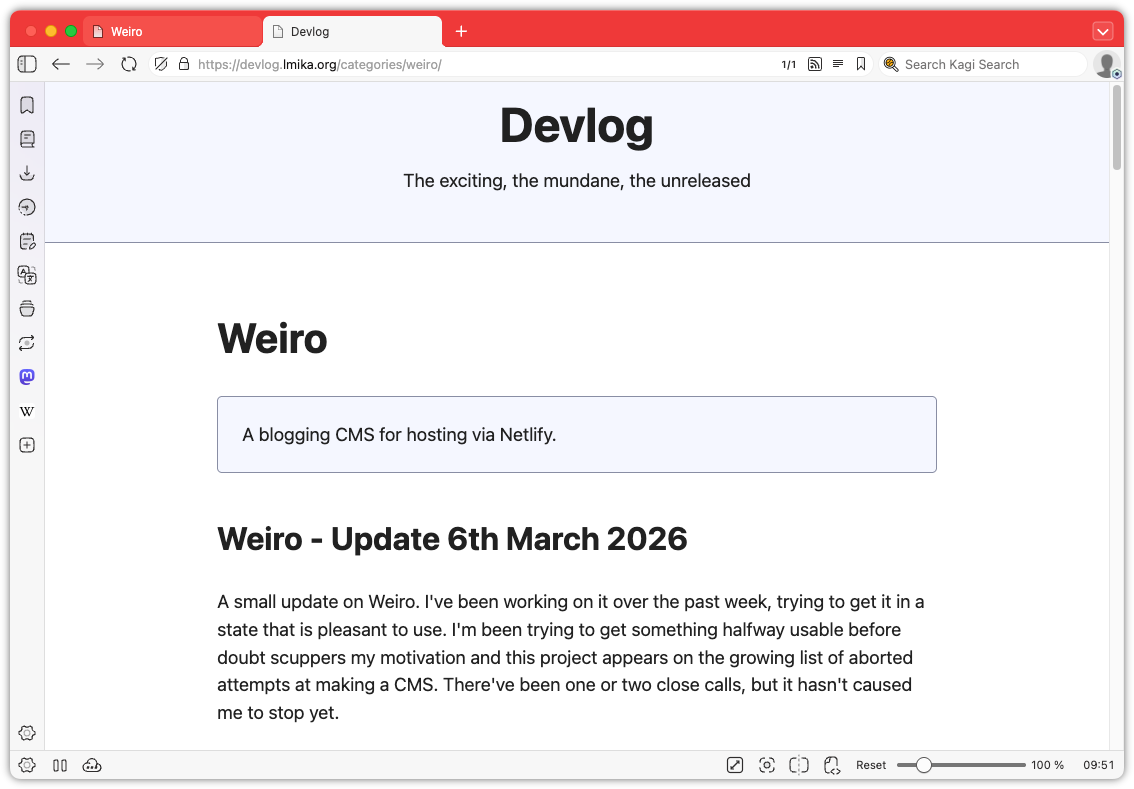
Okay, enough wallowing in my self-doubt. What was added? Well, categories are now a thing. These can be defined in a new categories section and consist of a label, a slug, and a description. Going to /categories/<slug> will list all the posts with that category. Posts can be in zero or more categories, which can be selected from the edit post screen. Pretty simple stuff.
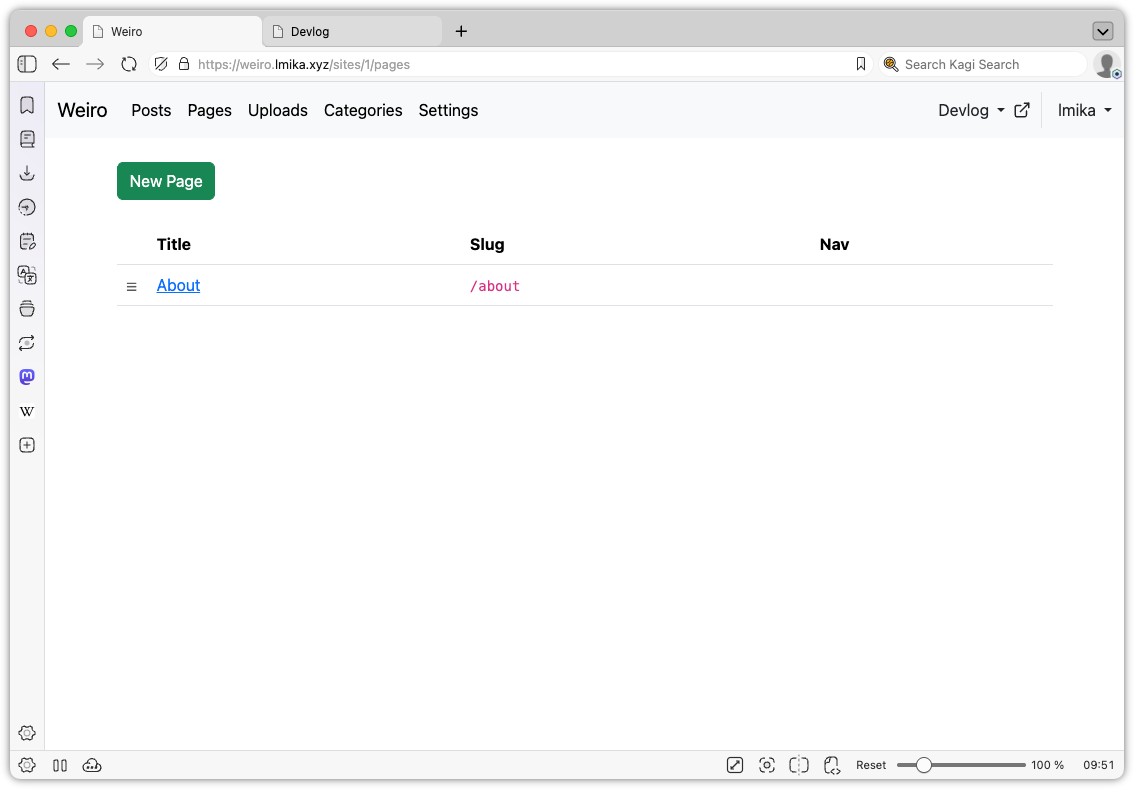
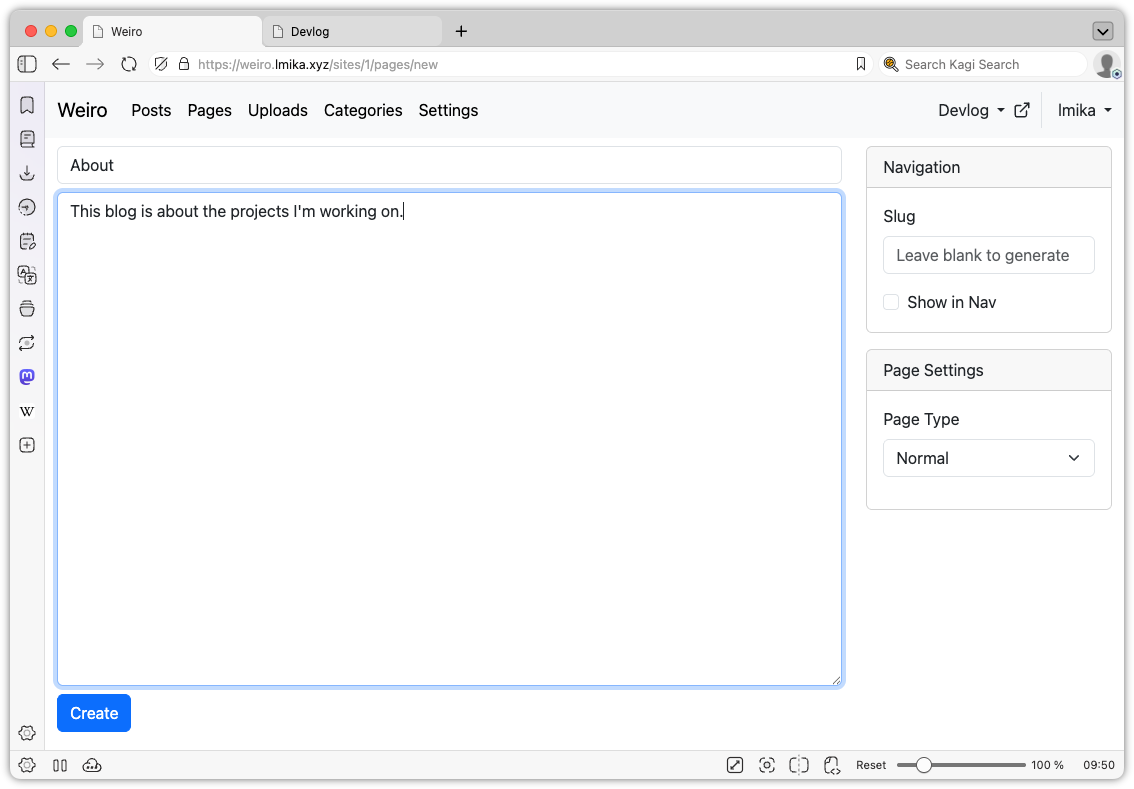
Another small thing added was pages. This allows the user to define "slash" pages, with the option of appearing in the nav bar, and can also be used to replace the home page, by setting the slug to / (the posts are still available at /posts). I do need to spend some more time figuring out how to organise the nav bar as I would also like to include things like redirects. I thinking of making that an extension of the pages model, but I'm not sure.
Those two features were mainly done with the help of Claude Code, but I did build some stuff manually. The largest addition was the ability to do some edits on uploaded images. I've never been a fan of how Apple produces the shadows around windows: the margins are just too large. So I added a way to do this within Weiro itself.
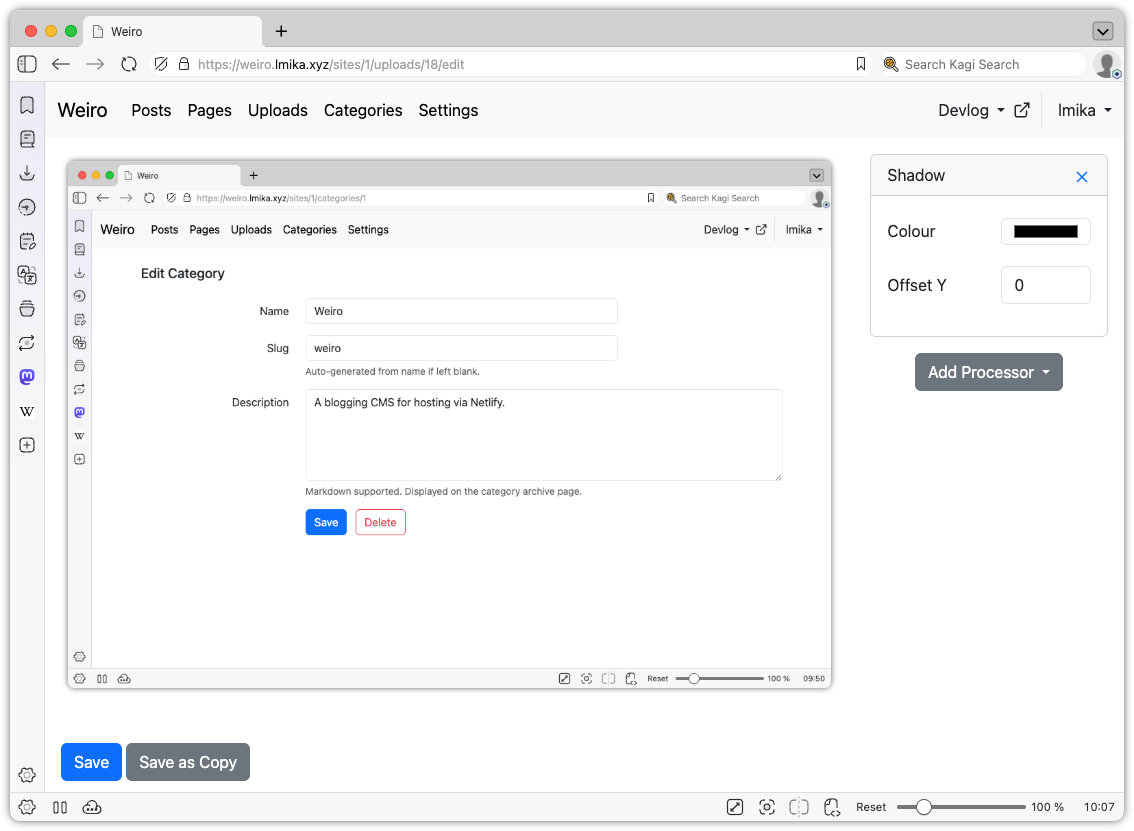
It's pretty simple. Just imagine the filter section from any image editor, then remove all the other features of that editor. Yeah, it's that simple. There's no cropping, rotating, or anything else of that nature: just a bunch of "processors" that you can add to the image, with the sole one being a drop shadow.
This is actually done server side using a simple file-based approach. When opening an image upload to edit, you spawn a session. Each session has a JSON file maintaining the processors, plus a series of cached image files of all the intermediate steps along the processing chain. When a new processor is added, a hash is computed with the processor's properties, and if they change, the cached image will be regenerated. The processor includes the hash of the previous step too, so that if processors further up the chain are modified or remove, they will force a recompute of subsequent images. The user is then served the last image in the chain.
This differs from the image processor in Blogging Tools, which performed the transformations within the browser itself. The motivation there was to avoid the need of a slow upload of the image, but it came with the performance cost associated with doing the processing within the browser itself. WASM might be fast, but it's not that fast1. Since the upload in Weiro is already uploaded, I figured it would be quicker to just do the image processing server side. My hope is that the computing power the server has access to would offset the time it takes to download the image. So far this seems to be the case.
Finally, I did some minor work around the UI, adding a site chooser and a much needed way to open the published site from the admin section.
So this project is still coming along, surprisingly. It's probably the furthest I've got in a blogging CMS that I actually want to use. I do have a large list of things I want to add to it, and I certainly need to do something with the design of the actual site. It's all a question of whether I'm interested in spending time on it.
-
Although to be fair, I think the slow down comes from encoding the processed image as a data URI and setting it as the source of an
imgtag. ↩︎
Weiro - Update 6th March 2026
A small update on Weiro. I've been working on it over the past week, trying to get it in a state that is pleasant to use. I'm been trying to get something halfway usable before doubt scuppers my motivation and this project appears on the growing list of aborted attempts at making a CMS. There've been one or two close calls, but it hasn't caused me to stop yet.
A large part of that was a feature I knew I wanted but was daunting to implement: uploads. The thought of writing the logic to manage large files, make sure EXIF data is stripped, and serve and manage them always seems like a pain. It's the reason why I've abandoned CMS projects in the past. And I want something that support uploads: I've tried CMSes that didn't have them and I never stayed long.
But this time, I rolled up my sleeves, cracked open Claude, and told it to… no, I'm kidding. Much of the feature was hand rolled, although Claude helped with some of the plumbing of getting uploaded files. But it's done: uploads are now supported. Which means screenshots:
Along with this are some updates to the published site. This I'm hand-rolling too, rather than relying on an existing SSG. Probably a mistake in the long run, but it does keep things flexible. There's nothing flashy about the HTML version of the site right now. I'm using Kev Quirk's awesome Simple.css, that I use as a base style for most things nowadays. But I have added an RSS and JSON feed. Two, in fact. One is a standard RSS feed for the site, and another is designed from crossposting to Micro.blog. The main difference between the two is that the crossposted version will have "Devlog" prepended to each of the post titles, as they'll be imported as full posts in a blog that has other content.
This is all hard-coded at the moment but I'm hoping to extend this to support other sorts of feeds, allowing the author to modify, include, and exclude posts based on their desires. The motivation here is to make it easier to integrate with services that cross-post, while recognising that not all of these "views" of a post would be the same. Cross-post to a service that supports at-mentions and maybe you'd like to ensure their handle is properly written out. But display it on the site, and maybe you'd prefer that the handle is a link to their homepage. These should all derived from the post source, and expanded in the various feeds based on who's consuming it.
Anyway, that's the idea. We'll see if any of this comes about.
Oof! Everyone's building blogging CMS's now, apparently.
Since starting work on this project, I saw one other announce their own CMS that was vibe-coded with Claude. No shame in that: making something that works for you is part of the joy of participating in the Indie-web. I did take a brief look at it, and dismissed it because it was written in PHP. Yes, I am a snooty developer that looks down on those using PHP (it's just so annoying to deploy; although credit to this person, they did prepare a Docker container).
Weiro is not vibe coded. Much of it is written by hand. Not all of it, mind you: I am using agents to help with the more mundane stuff. But the models, DB schema, and much of the UI is hand-rolled. And I'm conflicted as to whether that's the right balance. Progress is slower: these vibe-coders are whipping up CMS's in the same time it takes me to add a single feature to it. And there are probably better things I could be doing other than adding one more CMS into the world (although when my mind whispers that doubt, it usually suggests watching TV or doomscrolling as an alternative, so there are certainly worse things I could be doing).
I haven't stopped working on it yet, so here's a brief update. I've got a version of it up and running in Coolify. It currently supports posts at the moment: both draft and published via Netlify. Much of the work was just making the writing experience feel natural, given that working on posts is probably the core feature of any CMS. So there's a very large window for the post body (maybe a little too large), and there's a Cmd+S keyboard shortcut for saving updates. I would like to add an auto-save feature, but I'm not entirely sure how best to do that server side, so I may settle for something that's browser only, just to save work for when the browser crashes or has no network connection. I'm also working on uploads, so there shouldn't be too much time before I can start sharing screenshots.