Other Project Updates
A few updates of some other projects I worked on recently.
Webtools saw some love as I needed some tooling made to make the icon easy to include in the Well Read Flutter project itself. Android expects the logo of a specific size, so I "commissioned" an Android Icon Resizer, which will take one or more PNG files, resize them to what Android expects, and prepare them in a ZIP that could be extracted at the route of the res/mipmap directory. It will also produce a small preview of the icon, rendering it in a circle so you can see how it looks on the device. It's background savvy, layering the icon over the PNG with "background" in the filename.

The background for Well Read is a gradient, so I also added a simple gradient maker to Webtools too. Finally, there was a need to resize the logo without resizing the image canvas size itself so that it looked good in the cut-out circle. This required the commission of the image inner resize tool.
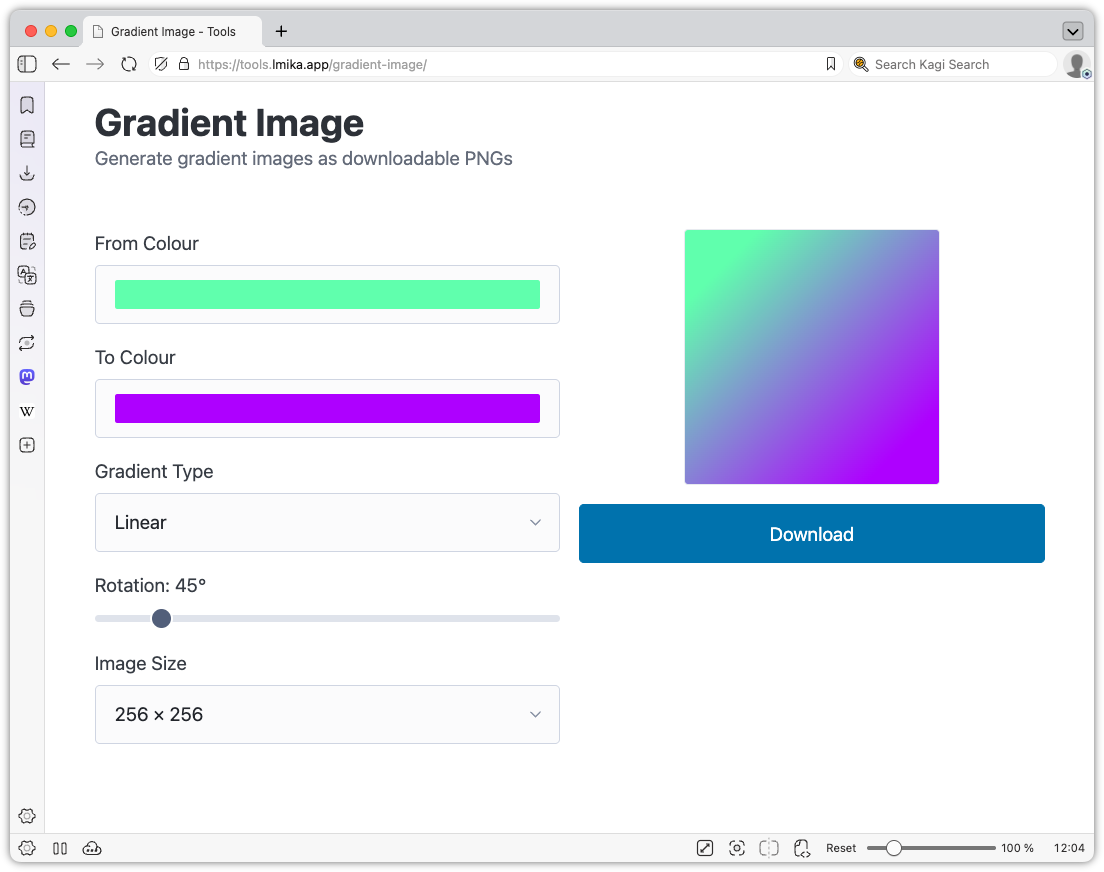
It's true I could've used any image editor to do this, but none of them were running and Claude was, so I figured it was easier doing it this way at the time.
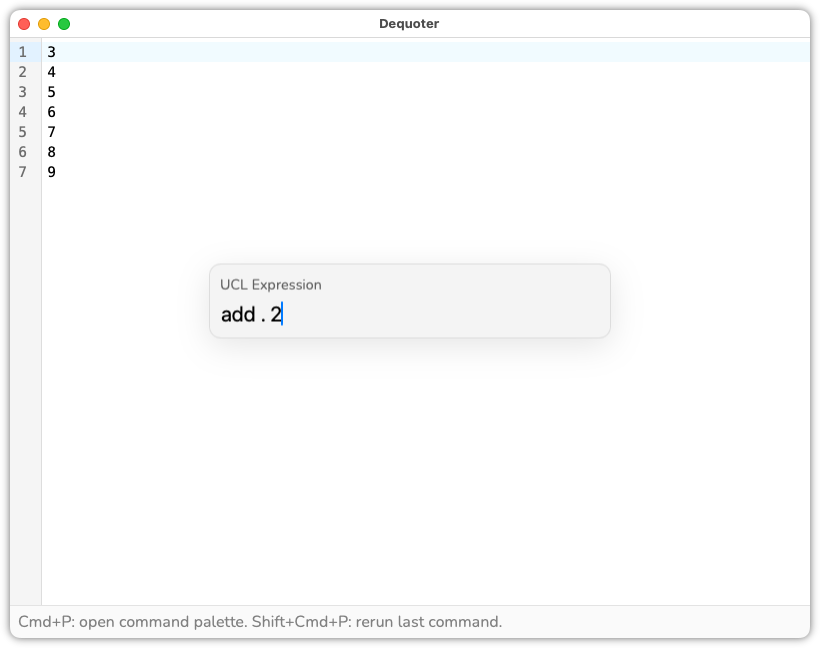
I did get my hands a little more dirty with UCL. I was making some changes to Dequoter to allowed users to perform UCL transformations, and I needed a way for the user to reference the current line. UCL has pseudo-variables, so @line was possible here. But I was finishing of a Go template transformation, and much like those templates, I was wondering if a simple dot could work: add . 2, for example. This was a little larger than expected, as it did require changes to the AST, but it was simple enough to knock out in an hour. The host sets the value of dot via the pseudo-variable ., and it even supports direct sub-indexing at the syntax level: add .item.(0) 2.
Oh, and Dequoter now allows actions to specify input values. Here it is being used for a new UCL transform action, which will map each line of the input to the result of a UCL expression.
So, quite a busy week few weeks. Not sure what I'll work on next. I do have an inkling of going back to that Godot project that's been on the back-burner for about a month.
gRPC Client - A Vibe-coded Client for Testing REST/gRPC Endpoints
My current craving of vibe-coding various tools I need to do my job continues, with an attempt to build a REST/gRPC test client.
This is motivated by my distaste with all the other clients I've tried. There've been a few, and I've been unhappy with each one. For one thing, they seem more heavyweight than my needs. I don't know if this is just how they're implemented, or it's because the realm of HTTP request testing is complicated (It's probably a bit of both).
Another thing is that they're tend to add features targeting testing teams that manage a central repository of test cases. I get the feeling that's how most of them try to make money: offer the tool for free to get the foot in the door, then upsell them with a hosted test repository. This leaves half the interface either useless, or just bait for throwing up requests to setup a service account and pay them money.
Finally, some are just awkward to use. The UI is inconsistent and buggy, and just gets in the way. I did wonder if the typical UI for these REST clients is partly to blame for this, but as you will see, it's not like this project deviates from the mainstream, so I think it's just comes down to implementation.
Anyway, these frustrations, along with wanting to see what these coding agents are capable of, motivated me to requested Claude Code to make me one. And it did a pretty decent job.
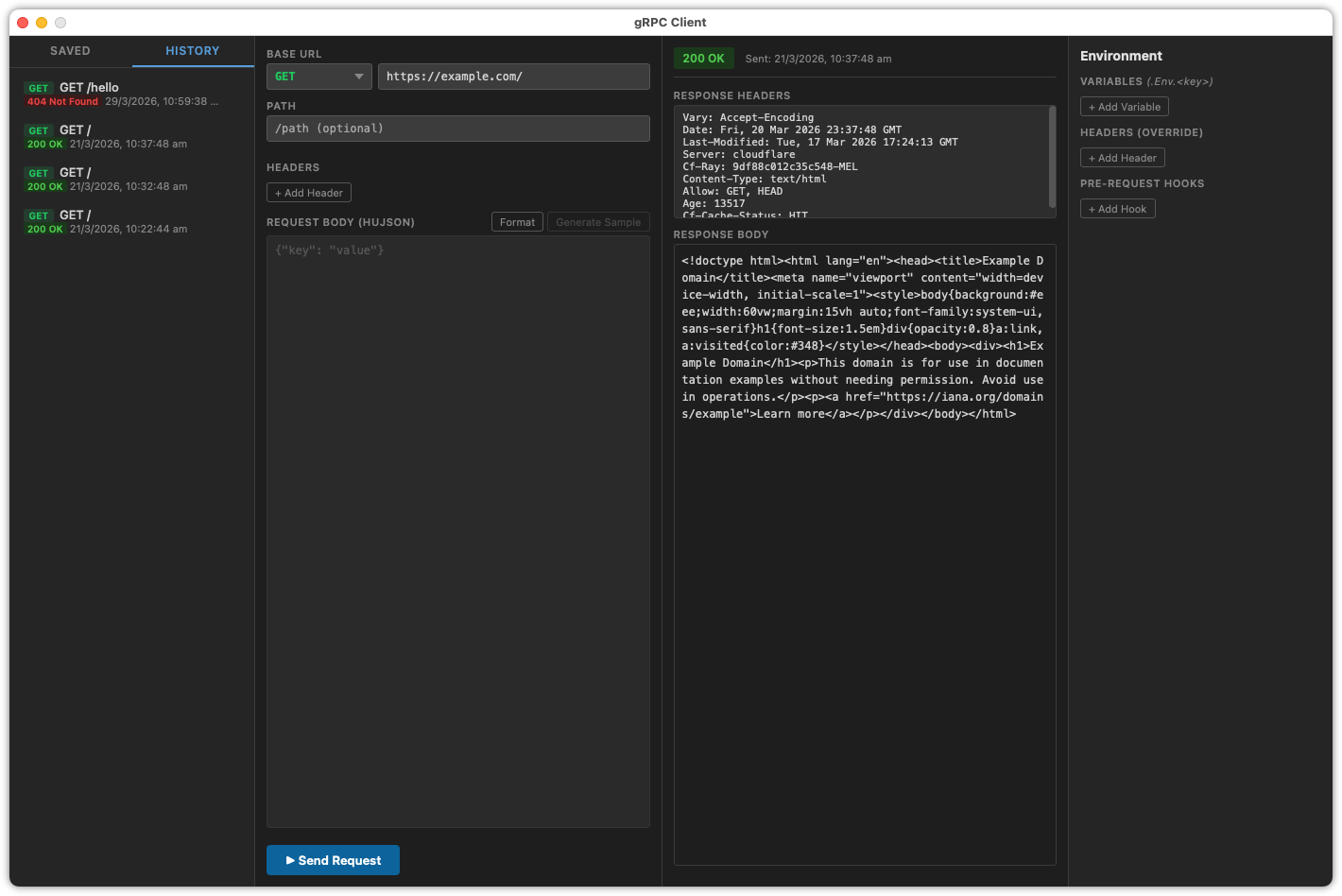
It's called gRPC Client — stellar naming, I know — and it's pretty typical of most other REST/gRPC test clients out there. Request details on the left, the latest response on the right. A list of saved requests, along with a history, in the sidebar, that can be recalled and resent. There's a reflection browser for gRPC endpoints, and a command for producing an example request for service methods, a feature of Insomnia that I really like.
The right sidebar has three parts, of which the first is the ability to define environment values, which can be included in the request properties via Go templates (this is a Wails app with a Go backend and HTML+JS frontend).
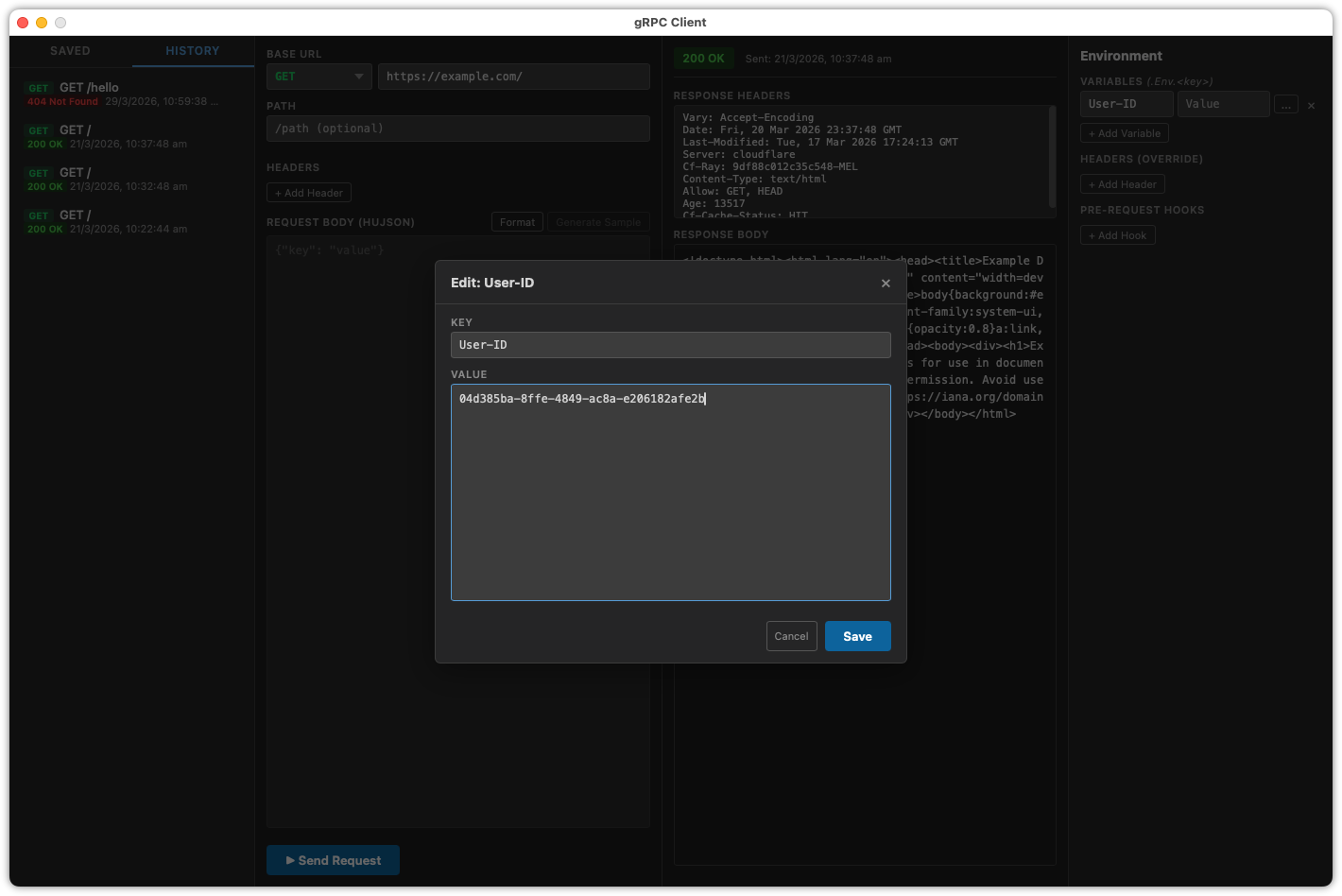
One feature of this client is the ability to override HTTP headers at the global level, the second thing in the right sidebar. When testing APIs, I usually have a collection of pre-made requests for endpoints I'm familiar with. Yet I'm always editing the headers when the user or auth token changes. The motivation with this feature was to make the change once, so that I don't need to do so when I switch saved requests. I originally requested a way to do this for the hostname and port too, but I found this wasn't as useful for me.
In practice, I ended up simply using environment values and request scripts, so-called "Hooks", which is the third thing in the right sidebar. This is some JavaScript that executes before each requests, allowing the user to modify the headers and body using the values from the environment. What I would do is set the username as an environment value, and a hook would set the HTTP header, and generate the payload for a JWT token, saving me from getting this from the browser (the endpoints I need to test just need the payload, not the signature, so this simply involvers marshalling a JSON object to Base64).
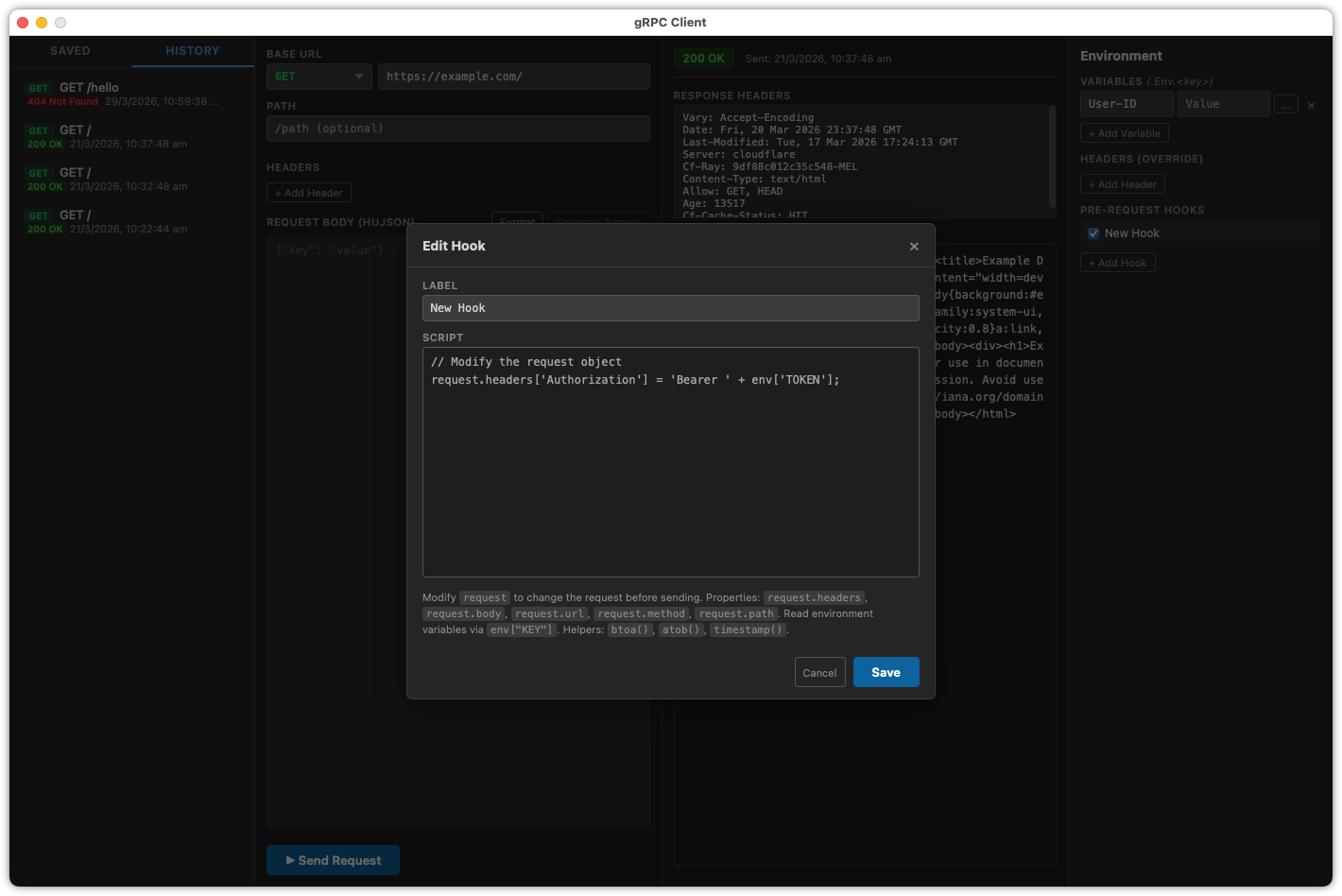
These are all features of most REST clients out there, but they're always hidden away and difficult to modify, which means I'm never using them. Placing them in the main client area makes them front and centre, so to speak, and so much easier to change.
One other thing I requested was the use of HuJSON for the request body. It's a little crazy to think that all these REST/gRPC clients, designed for use by humans, require their users to write perfect JSON for the body, especially when I'm left wanting to comment out parts of the body as I test something. This gets translated to JSON when the request is being sent.
So all in all, it's a pretty decent client, and despite it being like many other clients out there, it's pleasant to use. And I can't really put my finger on why. Might be that it's just simpler than all the other ones out there. It doesn't have tabs, for example, which does making testing multiple endpoints a little annoying, and I'm wondering if it's worth asking Claude to add them. Yet at the same time, the frustration I had with other clients came about with their implementation of tabs. Likewise for saved requests. This just has a single list of saved requests that are either REST or gRPC requests. No need to worry about folders, or request types I don't use, like GraphQL.
I guess if you're vibe coding something for your own use, less is indeed more.
Weiro - Categories, Pages, and Upload Editing
Some more work on Weiro. Much of it is pretty mundane, mainly to get it to feature parity with other CMS's out there. Yes, I know the existence of those other CMS's make the entire project pointless. Doubly so when you consider that much of what I'm going to talk about was largely done by coding agents. It made me wonder whether it was worth writing this update at all. Well, it's drafted up already so I may as well finish it off. At least one thing will get finished.
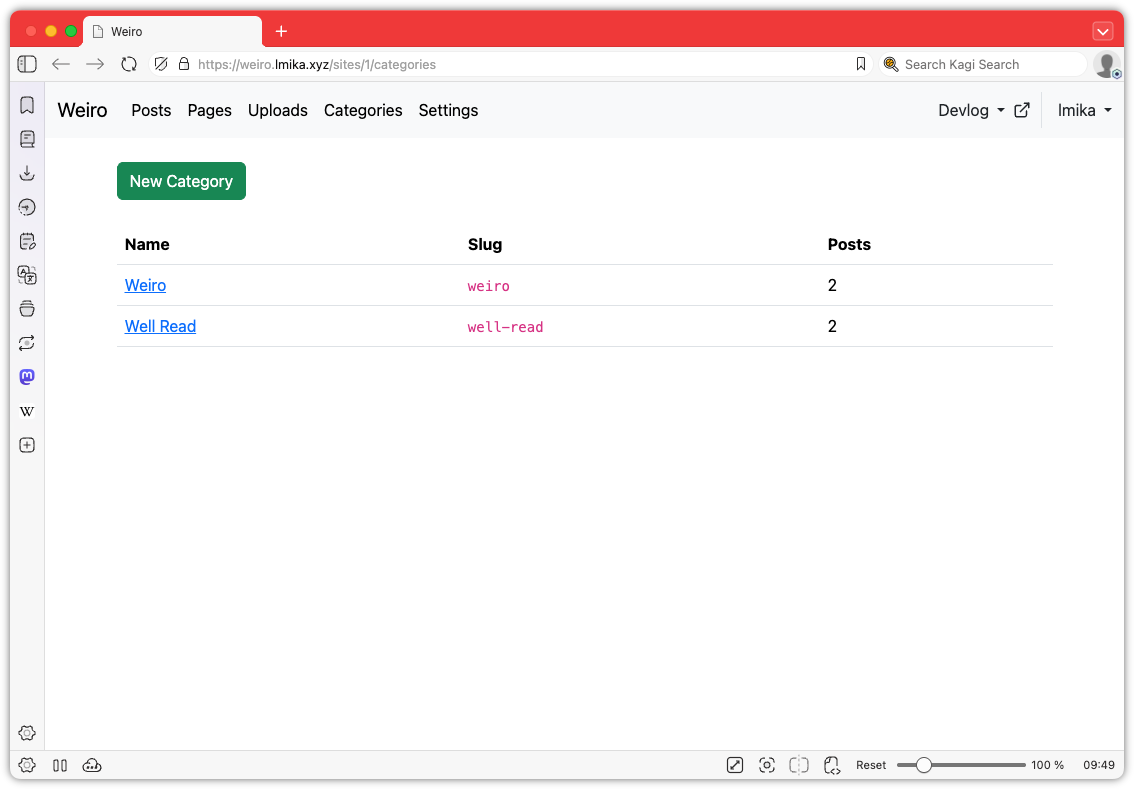
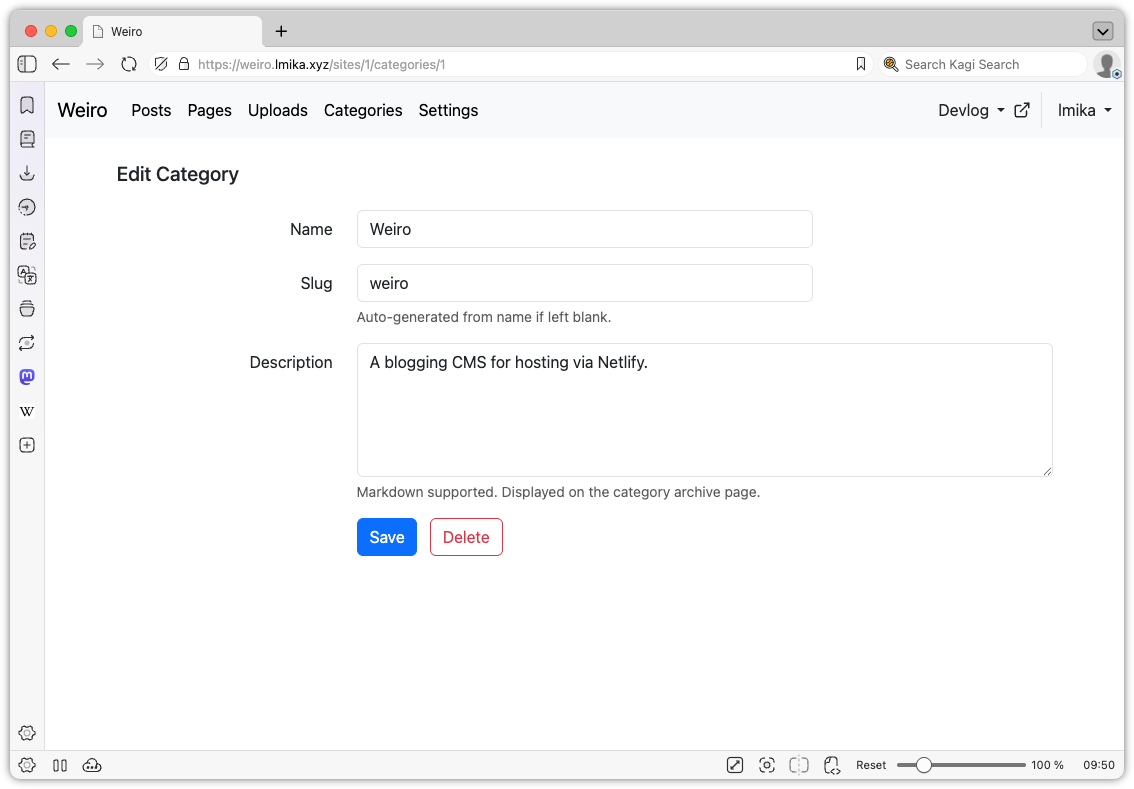
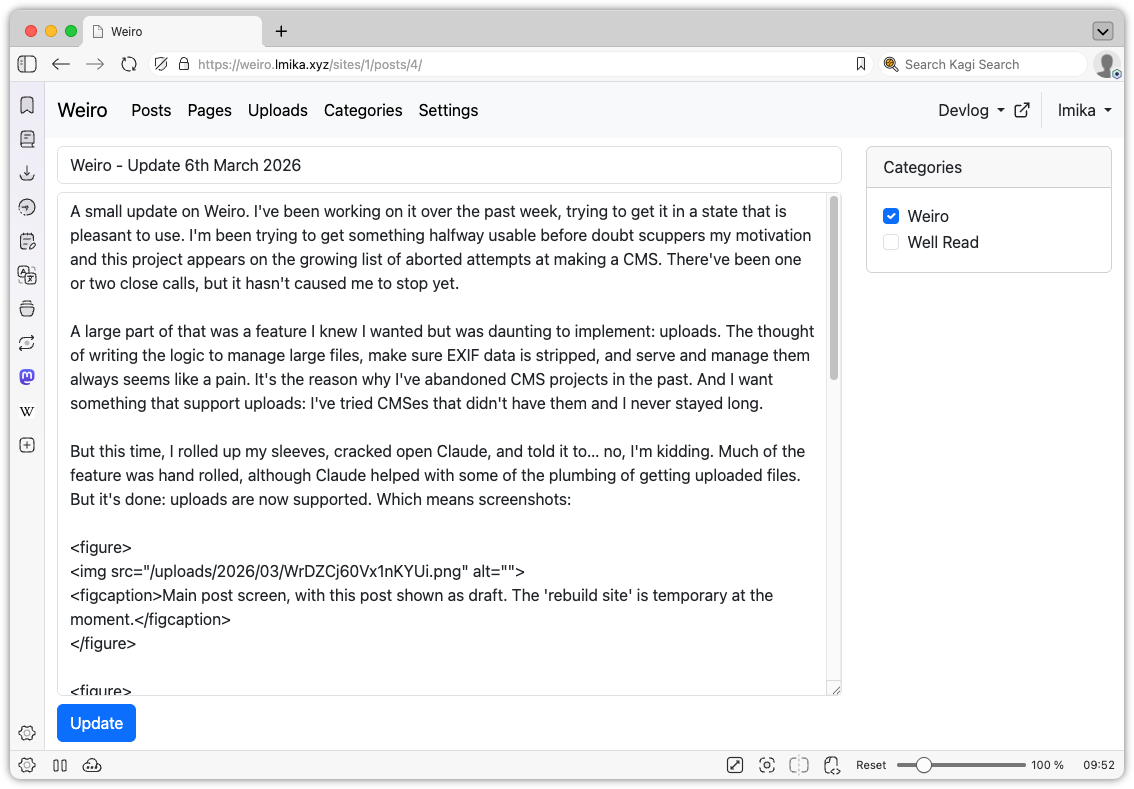
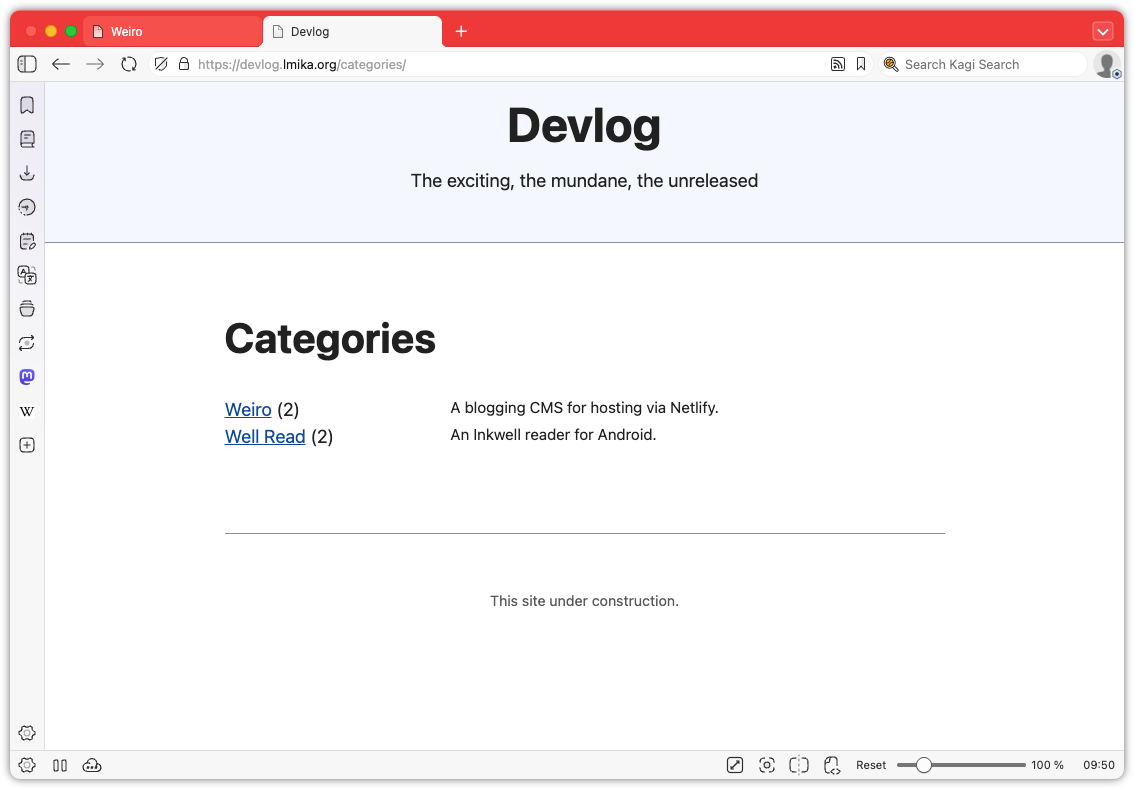
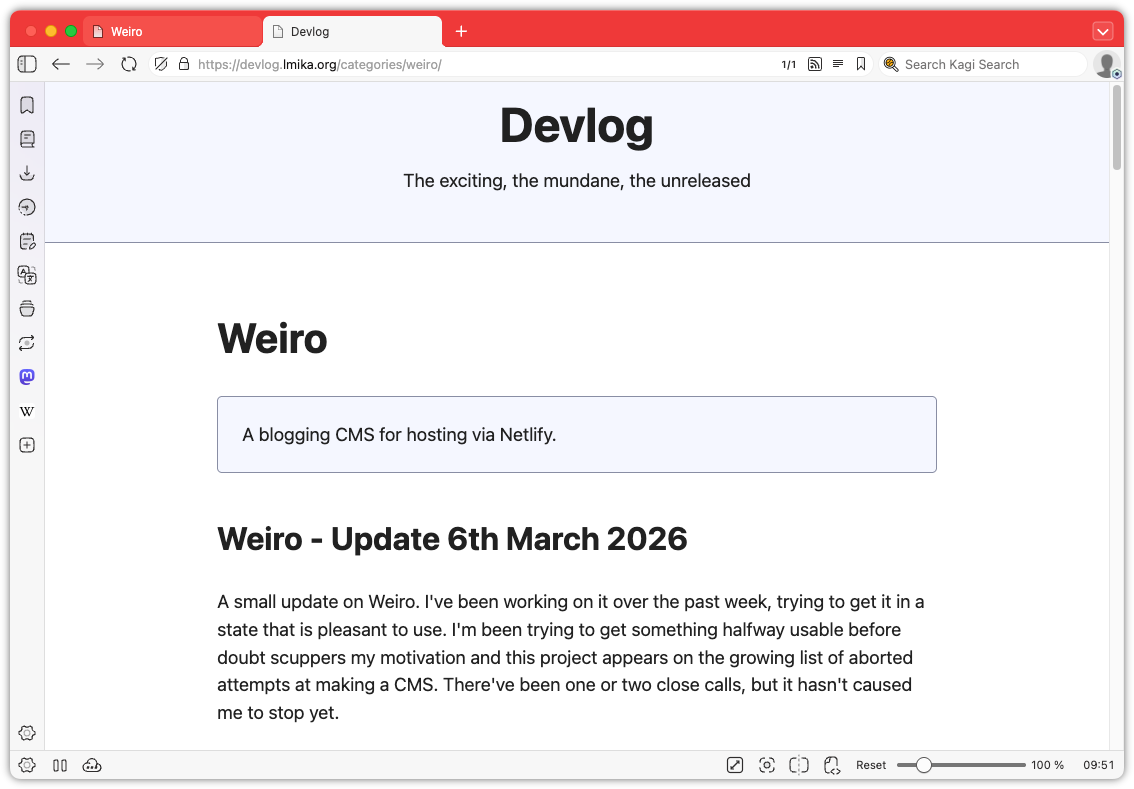
Okay, enough wallowing in my self-doubt. What was added? Well, categories are now a thing. These can be defined in a new categories section and consist of a label, a slug, and a description. Going to /categories/<slug> will list all the posts with that category. Posts can be in zero or more categories, which can be selected from the edit post screen. Pretty simple stuff.
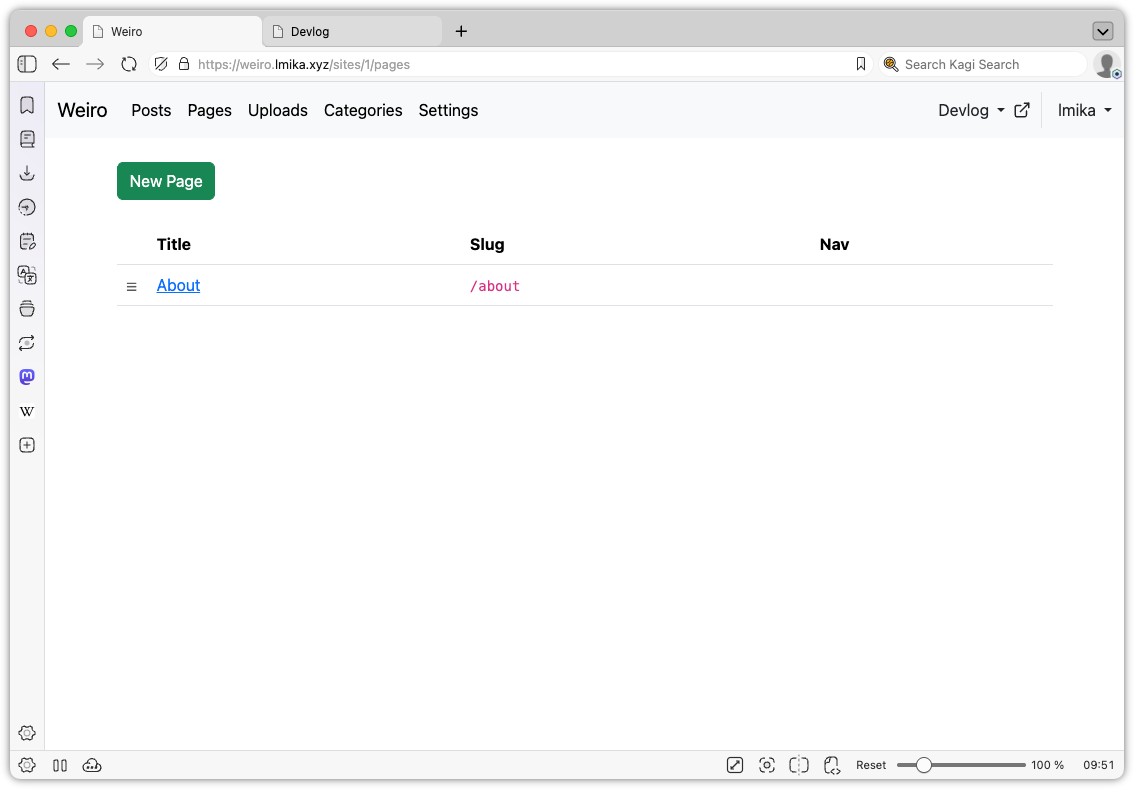
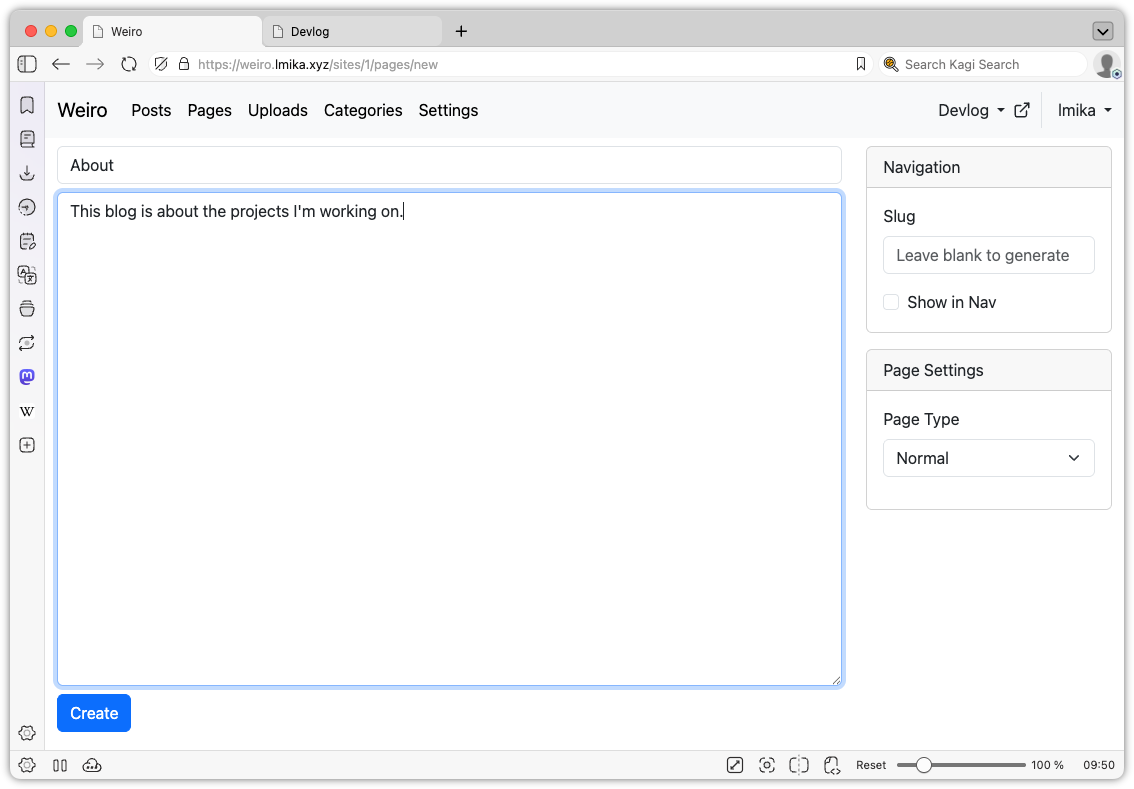
Another small thing added was pages. This allows the user to define "slash" pages, with the option of appearing in the nav bar, and can also be used to replace the home page, by setting the slug to / (the posts are still available at /posts). I do need to spend some more time figuring out how to organise the nav bar as I would also like to include things like redirects. I thinking of making that an extension of the pages model, but I'm not sure.
Those two features were mainly done with the help of Claude Code, but I did build some stuff manually. The largest addition was the ability to do some edits on uploaded images. I've never been a fan of how Apple produces the shadows around windows: the margins are just too large. So I added a way to do this within Weiro itself.
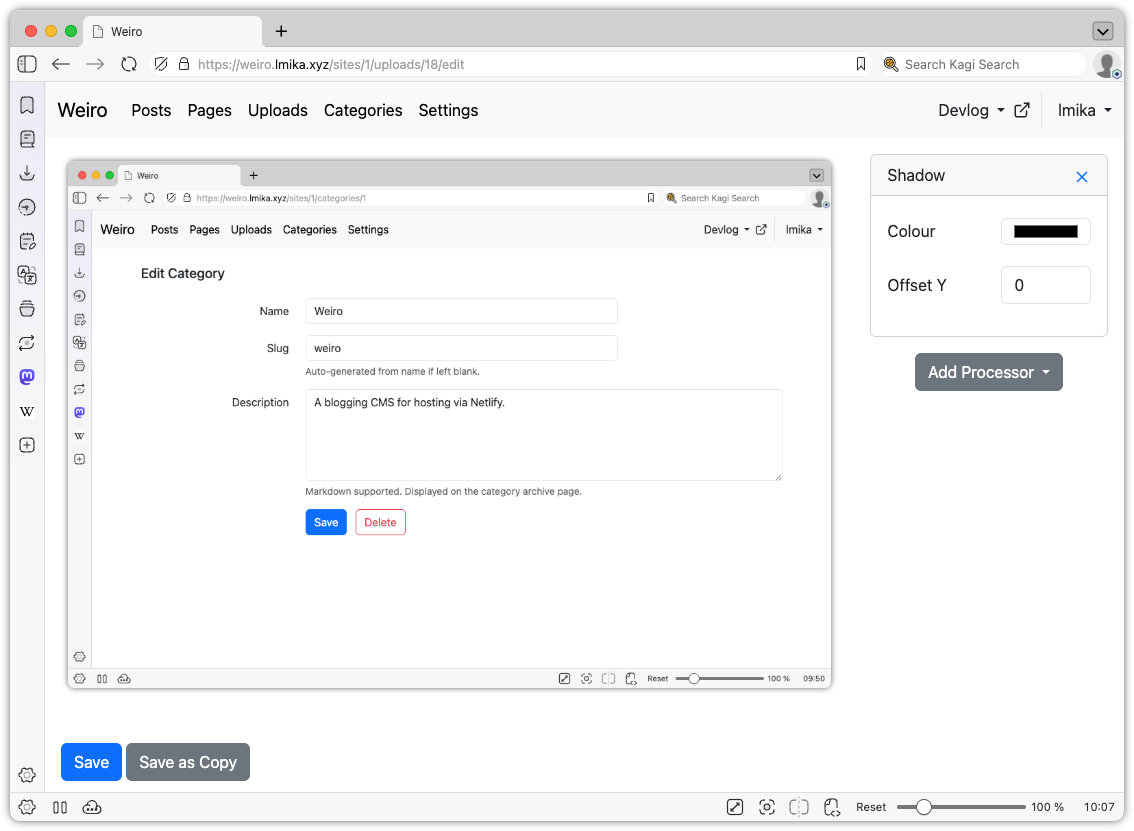
It's pretty simple. Just imagine the filter section from any image editor, then remove all the other features of that editor. Yeah, it's that simple. There's no cropping, rotating, or anything else of that nature: just a bunch of "processors" that you can add to the image, with the sole one being a drop shadow.
This is actually done server side using a simple file-based approach. When opening an image upload to edit, you spawn a session. Each session has a JSON file maintaining the processors, plus a series of cached image files of all the intermediate steps along the processing chain. When a new processor is added, a hash is computed with the processor's properties, and if they change, the cached image will be regenerated. The processor includes the hash of the previous step too, so that if processors further up the chain are modified or remove, they will force a recompute of subsequent images. The user is then served the last image in the chain.
This differs from the image processor in Blogging Tools, which performed the transformations within the browser itself. The motivation there was to avoid the need of a slow upload of the image, but it came with the performance cost associated with doing the processing within the browser itself. WASM might be fast, but it's not that fast1. Since the upload in Weiro is already uploaded, I figured it would be quicker to just do the image processing server side. My hope is that the computing power the server has access to would offset the time it takes to download the image. So far this seems to be the case.
Finally, I did some minor work around the UI, adding a site chooser and a much needed way to open the published site from the admin section.
So this project is still coming along, surprisingly. It's probably the furthest I've got in a blogging CMS that I actually want to use. I do have a large list of things I want to add to it, and I certainly need to do something with the design of the actual site. It's all a question of whether I'm interested in spending time on it.
-
Although to be fair, I think the slow down comes from encoding the processed image as a data URI and setting it as the source of an
imgtag. ↩︎
Well Read - One Week Later
It's been a week since I learnt about Inkwell's API and got an agent to start work on an RSS reader. Since then, Well Read has been in a state of flux, as I ask for agents to make changes to the interaction and layout. I think I've got it in a pretty good state now, certainly in a state that works well for me.
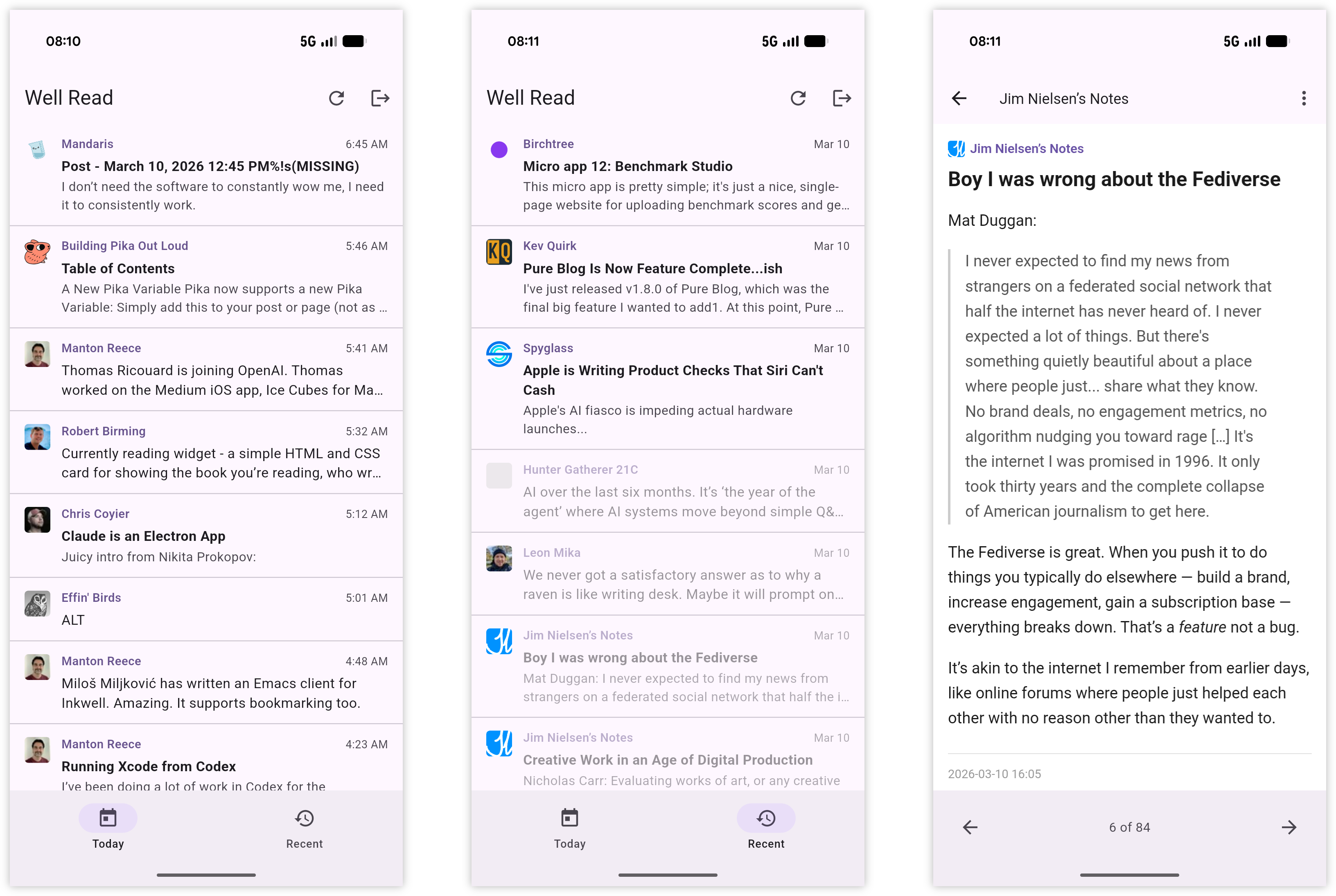
The Today and Recent tabs still retain their original behaviour, although the idea of using 6:00 pm of the previous evening as the cutoff for "todays' posts" was a good one. Being where I'm located in the world, many people I follow publish posts while I'm asleep. I recently added a tab for bookmarks which uses Micro.blog's bookmarking feature. Any post can be added as a bookmark, and since there's no real way to get to a post once it drops out of the Recent tab (well, apart from opening it up in Inkwell proper), I have in mind this feature to act as a place to stash posts for later. So I tried making bookmarks as easy to add as possible. Sliding aside the item in the feed list will reveal a bookmark action, as will the overflow menu in the feed viewer.
The app now has an icon too, which was made with the help of ChatGPT. I haven't consulted the agents about a better name though.

I did get my hands a little dirty to try and speed up the Webviewer. I think I made some success with removing the max-resizing from the viewport meta tag aded to the HTML the Webviewer opens. It could be psychosomatic, though. It feels a little different after I added it, but only if I'm using the actual phone. I see no performance issues in the simulator. I even tried comparing two screen recordings I made before an after the change, but I couldn't see a different. Since then, the scrolling has become choppy again. Sigh. That's one downside with choosing Flutter for this: you're bound by the speed of the language runtime. Maybe if I got the coding agent to port it to plain Android… 🤔

But the proof of any app is in the pudding: am I actually using it to read my RSS feeds? And the answer is yes, I am. It doesn't do everything a full-featured RSS app does, but what it does it does reasonably well — jankiness Webviewer scrolling aside — and I find myself turning to it at lunch or during my commutes. And even though there aren't any unread counts anywhere, it's slightly ironic to find that this river-based pattern has turned me into a bit of a completeness, wanting to get through today's feed before they drop over to recents. Oh I still save the odd post by keeping it marked as unread (the "Mark as Unread" action is optimised for this, in that it actually kicks you back to the post list when you use it), but not a frequently as I have been.
Anyway, my need for changes for this app might settle a little as I just go about simply using it for a while. But with the use of these agents, it's pretty amazing what they can be accomplish in a week.
Well Read - An Inkwell Client for Android
When Manton mentioned that Inkwell has an API, I… um… may have vibe-coded an Android client.
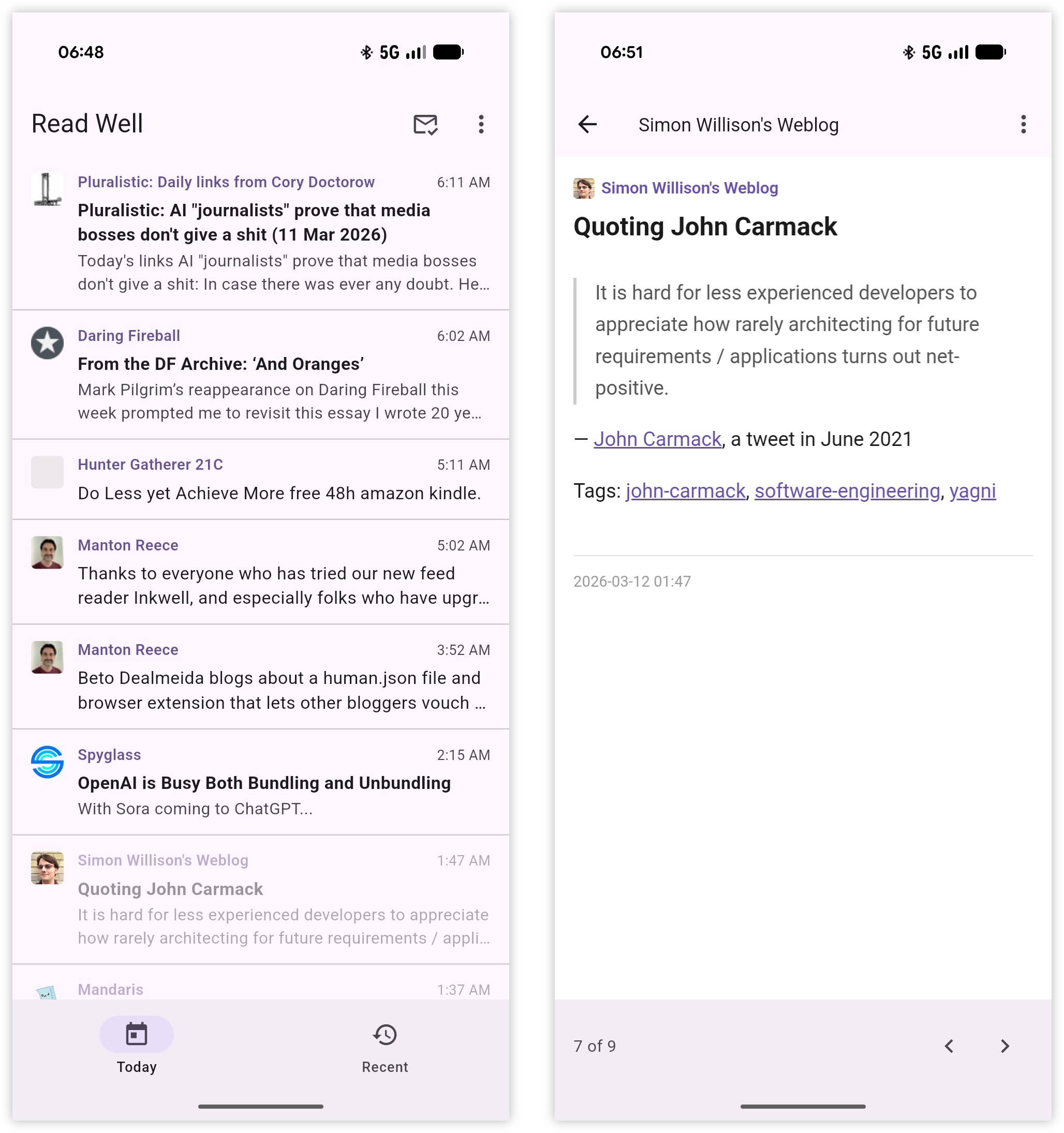
It's called "Well Read", which is not a great name but better than "Inkwell Client" which was the working title. Much like Inkwell, it follows the river approach to RSS. There's a Today tab and Recent tab, each showing a portion of the entries in reverse chronological order. Today shows all the posts from today, plus the last 6 hours of yesterday. The motivation here is that this will be the tab you'll be spending your time, with posts aging out to recent over time. There's no Fading tab: all posts older than about half a week fall out of the app. And I'm not sure if I'm going to add one. There's only a few feeds that I want to catch up on if I miss their post, and since I'm using NetNewsWire and Inkwell, I'm pretty sure I'll catch them later.
At the moment this is pretty bare bones. There's no bookmarks (yet), you can't add feeds, there's no search, and only a few actions you can perform on a post: copy the link, mark it as unread, and open it in the external browser. The webview itself is a little janky too, which is not great, and I need to do something about that as it does impact the reading experience.
But so far it's been pretty good. Feels the time when all I have is a phone to read stuff, like during lunch or while commuting.
Weiro - Update 6th March 2026
A small update on Weiro. I've been working on it over the past week, trying to get it in a state that is pleasant to use. I'm been trying to get something halfway usable before doubt scuppers my motivation and this project appears on the growing list of aborted attempts at making a CMS. There've been one or two close calls, but it hasn't caused me to stop yet.
A large part of that was a feature I knew I wanted but was daunting to implement: uploads. The thought of writing the logic to manage large files, make sure EXIF data is stripped, and serve and manage them always seems like a pain. It's the reason why I've abandoned CMS projects in the past. And I want something that support uploads: I've tried CMSes that didn't have them and I never stayed long.
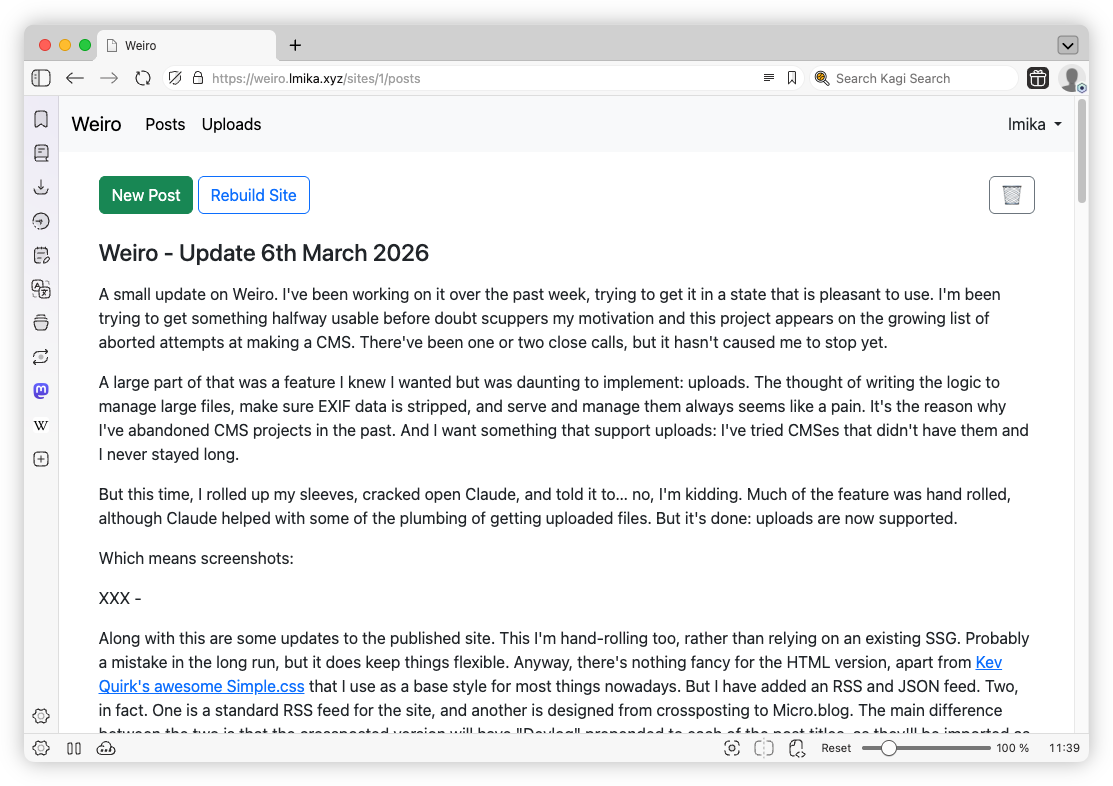
But this time, I rolled up my sleeves, cracked open Claude, and told it to… no, I'm kidding. Much of the feature was hand rolled, although Claude helped with some of the plumbing of getting uploaded files. But it's done: uploads are now supported. Which means screenshots:
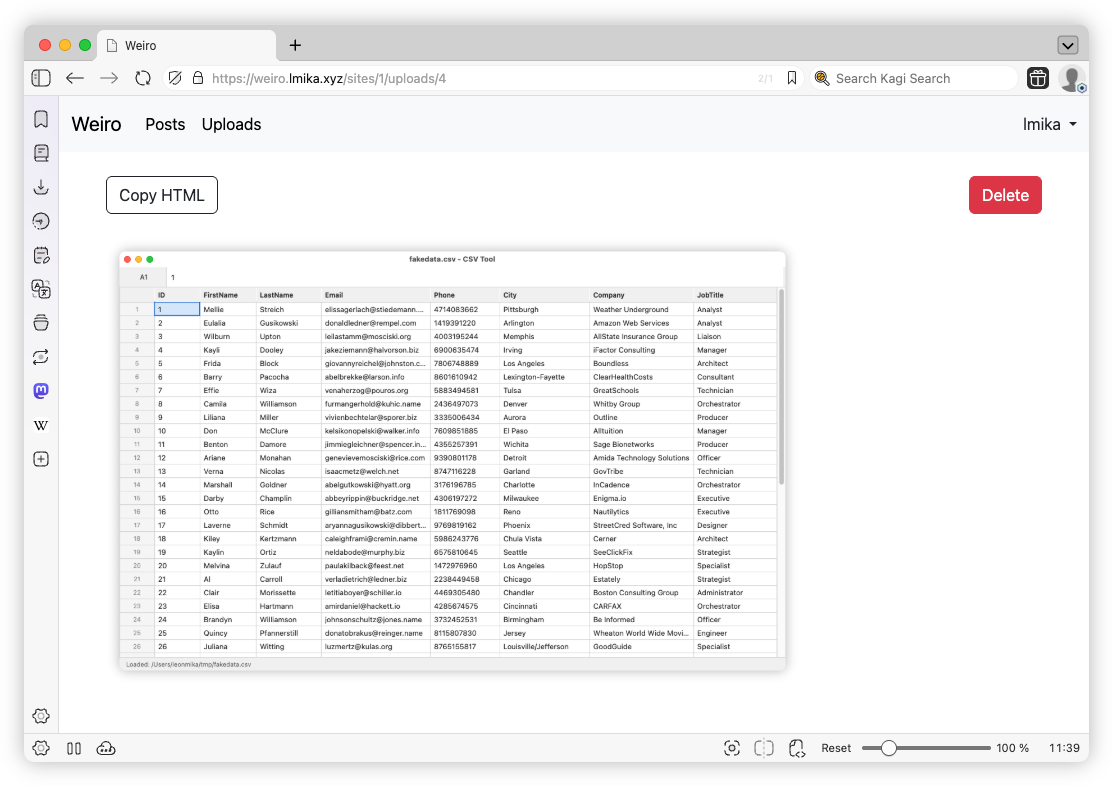
Along with this are some updates to the published site. This I'm hand-rolling too, rather than relying on an existing SSG. Probably a mistake in the long run, but it does keep things flexible. There's nothing flashy about the HTML version of the site right now. I'm using Kev Quirk's awesome Simple.css, that I use as a base style for most things nowadays. But I have added an RSS and JSON feed. Two, in fact. One is a standard RSS feed for the site, and another is designed from crossposting to Micro.blog. The main difference between the two is that the crossposted version will have "Devlog" prepended to each of the post titles, as they'll be imported as full posts in a blog that has other content.
This is all hard-coded at the moment but I'm hoping to extend this to support other sorts of feeds, allowing the author to modify, include, and exclude posts based on their desires. The motivation here is to make it easier to integrate with services that cross-post, while recognising that not all of these "views" of a post would be the same. Cross-post to a service that supports at-mentions and maybe you'd like to ensure their handle is properly written out. But display it on the site, and maybe you'd prefer that the handle is a link to their homepage. These should all derived from the post source, and expanded in the various feeds based on who's consuming it.
Anyway, that's the idea. We'll see if any of this comes about.
CSVTool - A Vibe-coded CSV Editor
One of the fun aspects of these new code agents is seeing what they're capable of producing just form the prompt, so called "vibe-coding." There are some that are definitely all in on the concept: I'm thinking of Steve Yeggie and his Gas Town work. As for myself, I still prefer to be a bit more hands on. But it's still amusing to see what these agents are capable of just from the prompt.
I got inspired by Dave Winder's post about how he asked Claude Code to make a spreadsheet app for him. I use a TUI app I made for myself called Ted that I use to edit CSV files, but seeing how good Claude was in making the spreadsheet, I thought I'd ask Claude to make me a GUI version. This is what it came up with:
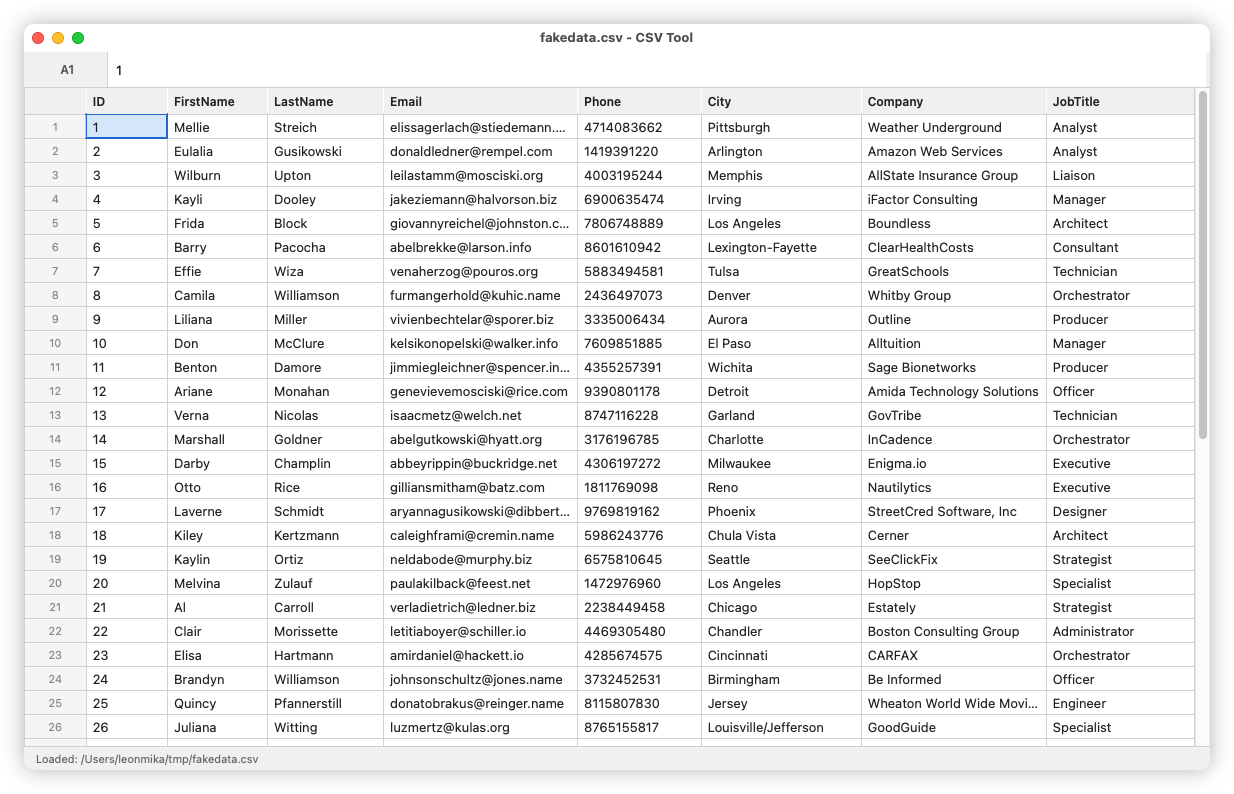
The results were pretty decent, at least on the surface. I haven't put it quite through it's paces for editing large CSV files, but what it managed to do out of the box was pretty impressive. Not that it's groundbreaking in any technical sense: think spreadsheet without the ability to define expressions. Most of the supportable commands are available via a command palette, invokable using Cmd+P. There are a few copy-and-paste options for getting table data out into usable formats, something I find quite frustrating with the spreadsheets I use. You can paste table data as CSV, a Markdown table, and Jira markup. There's the usual load, save, and commands to insert rows; all pretty standard.
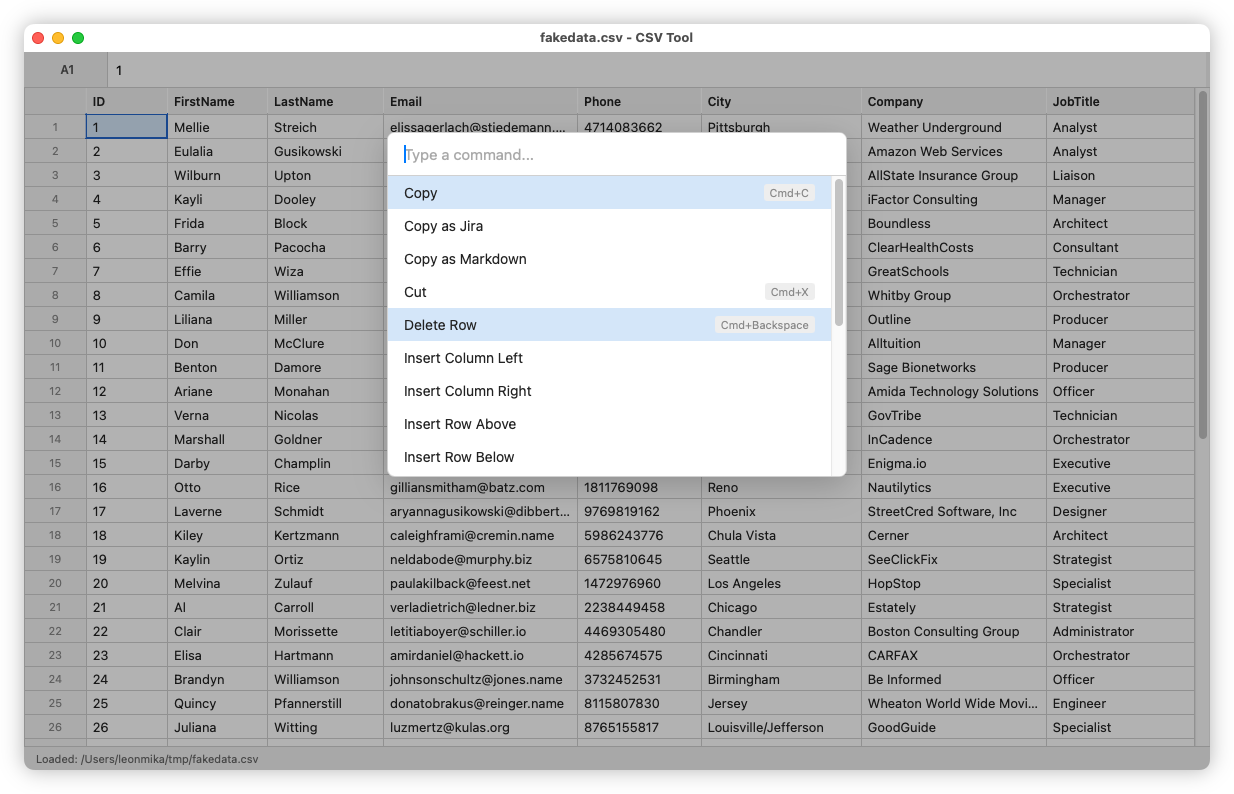
It isn't perfect though. Despite two attempts to instruct it to make the header row fixed such that it won't scroll off the top, Claude was unable to achieve this. The techniques of making such a header are pretty hacky: the one I'm aware of is making a second table with just the header, placing it above the first, setting the position to absolute, then adding some JavaScript to keep the column widths in sync. Granted, this worked a good 18 years ago, and for tables that didn't scroll horizontally. Maybe there's a better way of doing this nowadays? Oh and speaking of the columns, despite providing affordances for resizing the columns, Claude didn't implement the code to actually resize them. This makes me wonder if HTML tables are probably not the best approach for such a control. I guess I probably should've told Claude that.
In any case, I'm not sure I'll put this to any real use. One thing I like about Ted is that it's modal, like Vim. Being able to move around using the keyboard (I, J, K, and L are mapped to up, left, down, and right, respectively) is something I'd miss. So I think Ted will still be useful for me. I may revisit this in the future though, and see if Claude could make a GUI version of Ted. That could be interesting.
I'll finish up by talking about some of the other features I asked to be added. Some of them were pretty ill conceived, as they came while I had a flurry of needs for CSV data. I ended up using to tool more frequently than I expected.
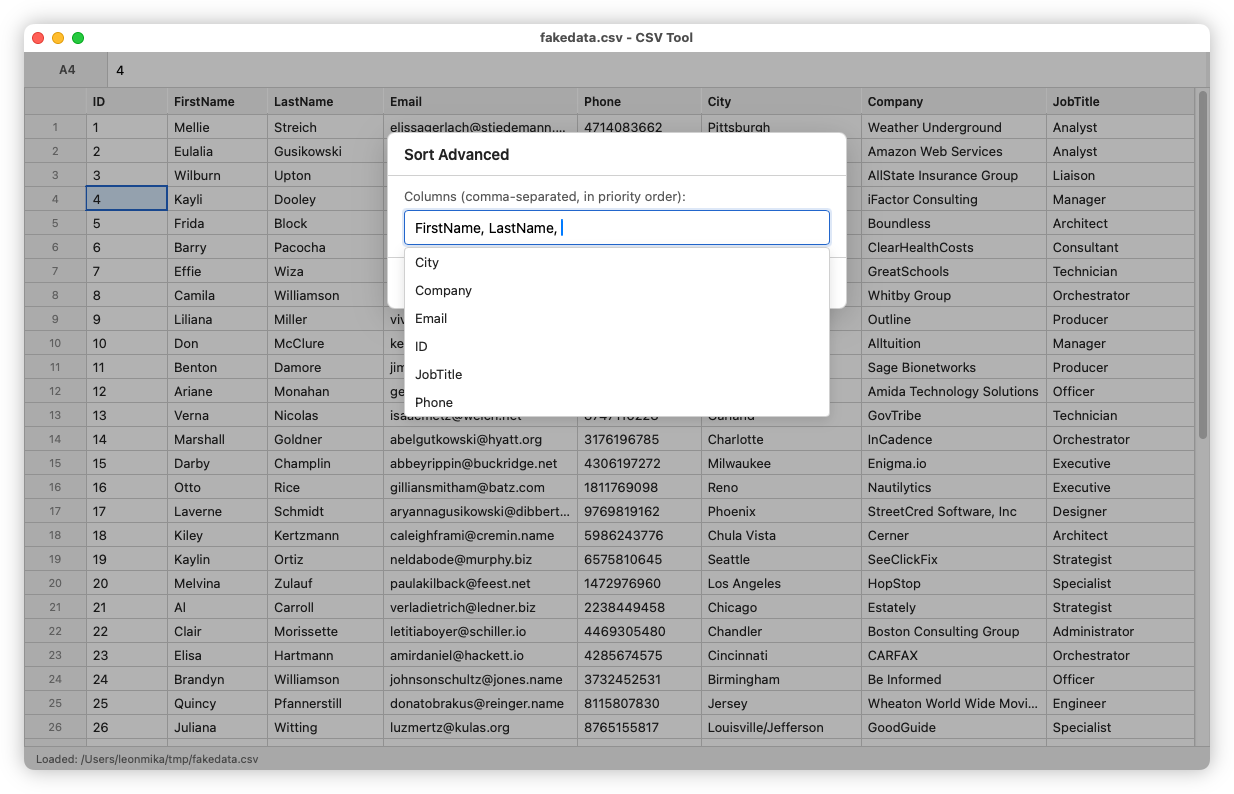
Sorting: Sort the table (the actual model, not just the view) either alphanumeric ascending, or alphanumeric descending based on the values of the current cell. There was also a "Sort Advanced" that prompted the user to enter the columns to sort in priority order (although not the direction, it's always alphanumeric ascending).
Match Cell: Select cells that had a value matching the current cell. This was an attempt of selecting rows to delete, but it never really worked well.
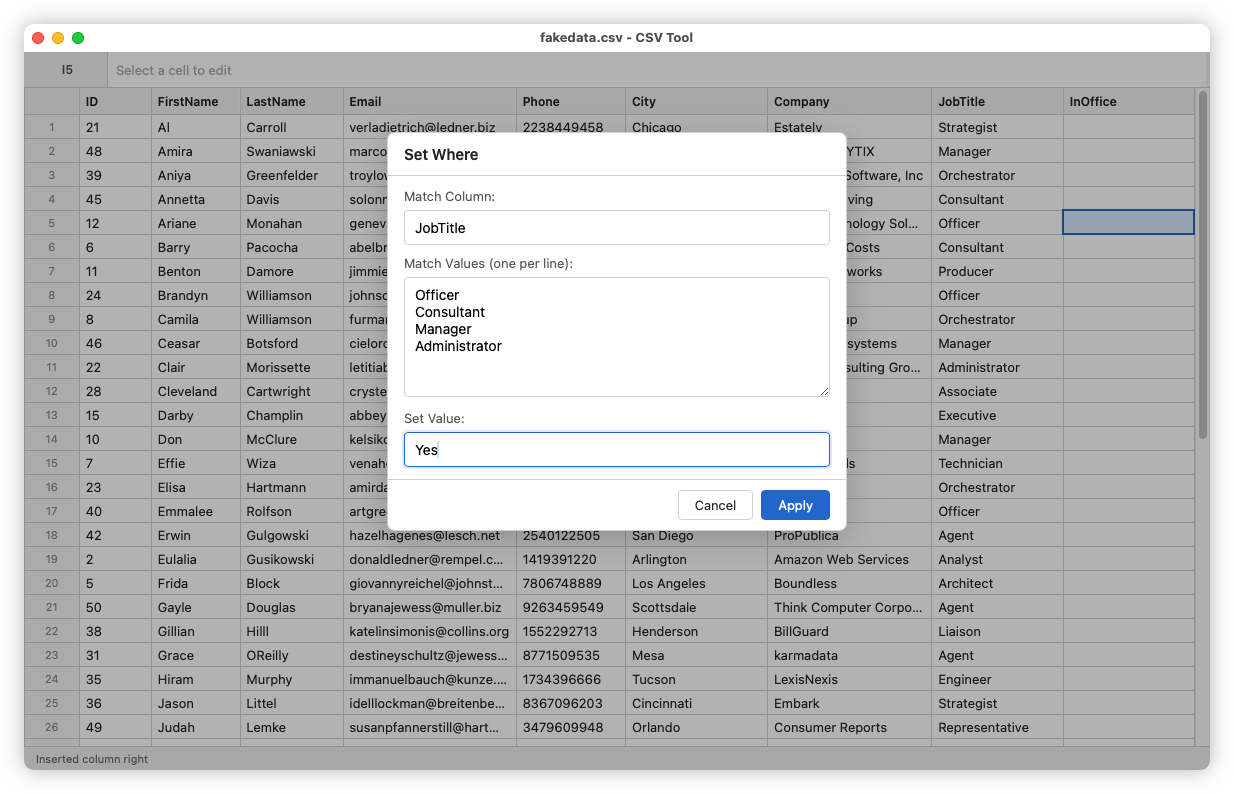
Set Where: Prompts the user for a source column, a set of match values, and a target value. Whenever the source column has one of the match values, it will set the current column to the target value. This acts like a poor man's inner join, and was made as I needed to interleave values I had from a shell command in the table I was working on.
Oof! Everyone's building blogging CMS's now, apparently.
Since starting work on this project, I saw one other announce their own CMS that was vibe-coded with Claude. No shame in that: making something that works for you is part of the joy of participating in the Indie-web. I did take a brief look at it, and dismissed it because it was written in PHP. Yes, I am a snooty developer that looks down on those using PHP (it's just so annoying to deploy; although credit to this person, they did prepare a Docker container).
Weiro is not vibe coded. Much of it is written by hand. Not all of it, mind you: I am using agents to help with the more mundane stuff. But the models, DB schema, and much of the UI is hand-rolled. And I'm conflicted as to whether that's the right balance. Progress is slower: these vibe-coders are whipping up CMS's in the same time it takes me to add a single feature to it. And there are probably better things I could be doing other than adding one more CMS into the world (although when my mind whispers that doubt, it usually suggests watching TV or doomscrolling as an alternative, so there are certainly worse things I could be doing).
I haven't stopped working on it yet, so here's a brief update. I've got a version of it up and running in Coolify. It currently supports posts at the moment: both draft and published via Netlify. Much of the work was just making the writing experience feel natural, given that working on posts is probably the core feature of any CMS. So there's a very large window for the post body (maybe a little too large), and there's a Cmd+S keyboard shortcut for saving updates. I would like to add an auto-save feature, but I'm not entirely sure how best to do that server side, so I may settle for something that's browser only, just to save work for when the browser crashes or has no network connection. I'm also working on uploads, so there shouldn't be too much time before I can start sharing screenshots.
Hello
This is the inaugural post of Devlog, where I'm planning to write on what I'm working on. This post was created using Weiro, a new blogging CMS I've been working on. This post is little more than a test to see if the deployed version of Weiro is working. I'll post more about Weiro in later posts. For now, I just want to make sure this is being published correctly.